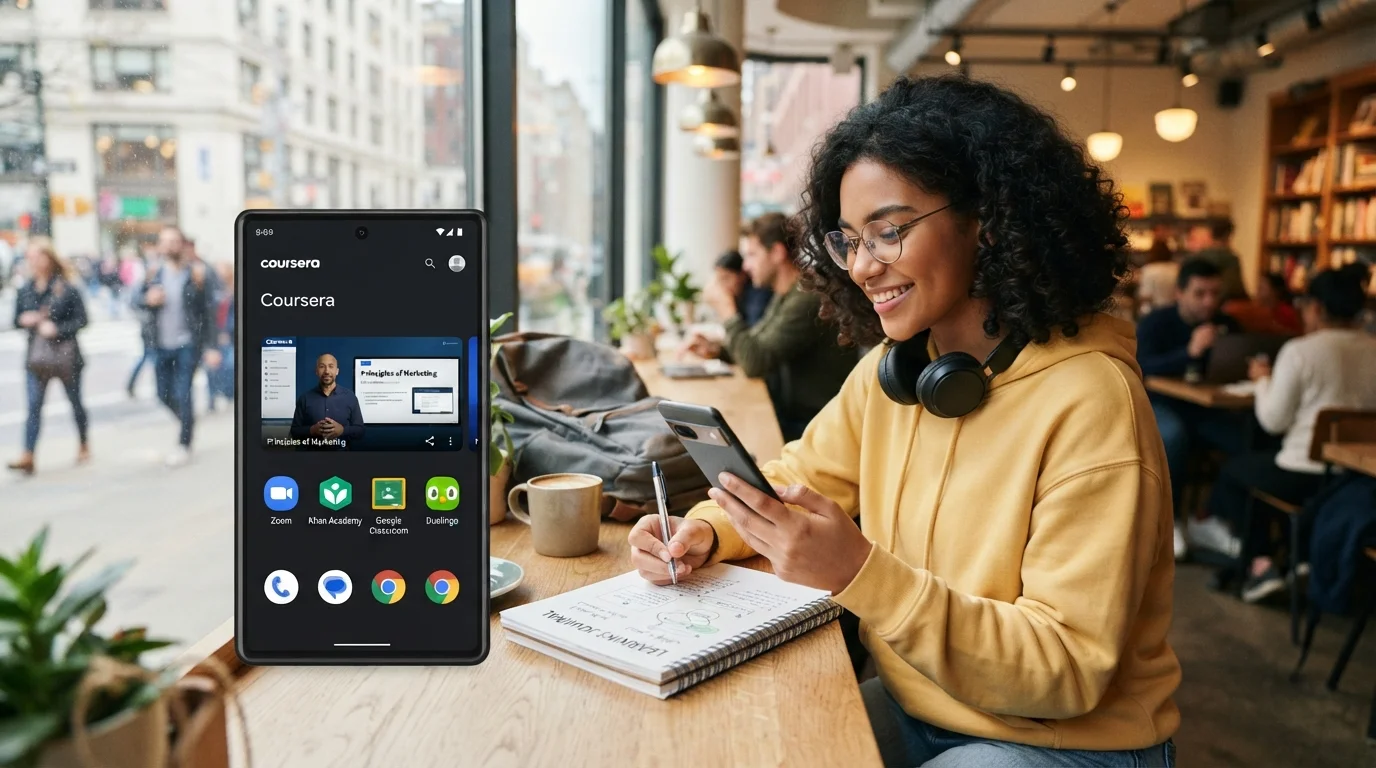
Learning no longer has to happen in a classroom, library, or at a desk with a laptop. With a modern smartphone and a reliable internet connection, students can attend online classes, watch educational videos, read digital textbooks, complete assignments, communicate with instructors, and practice new skills from almost anywhere.
This flexibility is at the heart of mobile learning. Instead of depending on one physical location or a specific computer, students can use their phones as portable learning devices. A smartphone can fit into a backpack or pocket, making it possible to turn spare moments into useful study time.
For students with busy schedules, mobile learning can make education easier to fit into everyday life. A learner can attend a virtual lecture at home, review notes while traveling, listen to an educational lesson during a break, or complete a short quiz while waiting for an appointment. The phone becomes more than a communication device; it becomes a flexible personal classroom.
The growth of online classes has made this approach even more valuable. Schools, universities, training providers, language programs, professional educators, and educational platforms increasingly provide content that can be accessed through mobile devices.
However, simply owning a smartphone does not automatically create a successful learning experience. Students need to prepare their devices, select suitable learning apps, manage notifications, organize their study materials, and create habits that prevent distractions.
This guide explains how to attend online classes from your phone effectively, how to study on your phone without losing concentration, which features matter most, and how to create a practical mobile learning routine.
read more about best earbuds for online classes
What Is Mobile Learning?
Understanding Learning Through Mobile Devices
Mobile learning, often called m-learning, refers to education that takes place through portable digital devices such as smartphones and tablets.
Unlike traditional online learning that may assume access to a desktop computer, mobile learning is designed around flexibility. Educational materials can be accessed whenever and wherever the learner has an appropriate device and connection.
A mobile learning experience may include:
- Live online classes
- Recorded lectures
- Educational videos
- Digital textbooks
- Online quizzes
- Interactive exercises
- Flashcards
- Language lessons
- Discussion forums
- Assignments
- Educational podcasts
- Virtual classrooms
- Learning apps
- Digital note-taking
- Progress tracking
The important feature is not simply that a smartphone is being used. The key advantage is that learning can become more portable and accessible.
Why Mobile Learning Is Flexible
Traditional studying often requires students to be physically present in a particular place.
Mobile learning reduces that limitation.
A student can carry course materials throughout the day and access them when circumstances allow. This does not mean that every learning activity should happen on a phone. Long writing assignments, advanced software projects, and highly detailed research may still be easier on a larger screen.
Instead, the smartphone becomes another tool in the student’s learning system.
This flexibility is particularly useful for people who have work, family responsibilities, transportation challenges, or irregular schedules. It allows learning to become less dependent on having a perfect study environment.
Can You Attend Online Classes from a Phone?
The Basic Requirements
Yes, many online classes can be attended entirely from a smartphone.
The exact requirements depend on the platform and course, but most students need:
- A smartphone with a supported operating system
- A stable internet connection
- Sufficient battery power
- A microphone
- A camera when video participation is required
- Headphones or earbuds when appropriate
- The required online classroom app
- Login information for the course
- Enough storage for downloaded materials
Before the first class, students should test everything.
Joining an important lecture for the first time without checking the microphone, camera, internet connection, or application can create unnecessary stress.
Check Platform Compatibility
Online classes may use different platforms for live meetings and coursework.
Some courses use dedicated educational applications. Others may provide access through a mobile browser or a combination of video-conferencing and learning-management systems.
Before the class begins, confirm:
- Which application is required.
- Whether the application supports your phone.
- Whether you need an account.
- How to access the virtual classroom.
- Where assignments are submitted.
- How teachers communicate with students.
- Whether lectures are recorded.
- Whether materials can be downloaded.
A few minutes of preparation can prevent technical problems later.
read more about fast charger for students
How to Prepare Your Phone for Online Classes
Keep Your Device Updated
A smartphone used for education should be maintained like any other important learning tool.
Keep the operating system and essential educational applications updated when possible. Updates can improve compatibility, security, performance, and stability.
At the same time, avoid performing a major update immediately before an important exam or live class unless necessary. It is better to maintain the device regularly than to make last-minute changes.
Free Up Storage Space
Online classes can involve large video files, PDF documents, presentations, images, and recordings.
A phone with almost no available storage may become slower or make it difficult to download course materials.
Before starting a new course, review your storage and remove unnecessary files.
You can:
- Delete duplicate photos.
- Remove old videos.
- Uninstall unused apps.
- Clear unnecessary downloads.
- Move important media elsewhere.
- Remove old course materials you no longer need.
Keeping reasonable free space makes the phone easier to use for learning.
Charge Your Phone Before Class
Battery problems can interrupt an online class at the worst possible moment.
Develop a simple habit of charging your phone before long lectures.
For particularly long classes, keep a compatible charger or power bank available. If you are attending class away from home, battery planning becomes even more important.
A student should not have to choose between continuing a lecture and preserving enough battery to make an important call later.
How to Choose the Right Internet Connection
Wi-Fi for Long Classes
A stable Wi-Fi connection is generally convenient for long online classes.
Before a live lecture, connect to the most reliable network available and position yourself where the signal is strong.
If multiple people are using the same connection for streaming, gaming, downloads, or video calls, the available bandwidth may be affected.
When possible, reduce unnecessary internet activity during important classes.
Mobile Data for Learning on the Go
One of the biggest advantages of mobile learning is the ability to use cellular data.
This makes it possible to attend classes outside the home when Wi-Fi is unavailable.
However, live video classes can consume significant amounts of data. Students should understand their mobile plan and monitor data usage.
If data is limited, consider:
- Downloading recorded lessons over Wi-Fi.
- Watching videos at a lower resolution.
- Using audio when video is unnecessary.
- Downloading reading materials before leaving home.
- Saving large files for Wi-Fi connections.
This approach can make mobile learning more economical.
How to Join an Online Class from Your Phone
Step 1: Install the Required App
Start by installing the official application required by your course.
Download it from a trusted source and make sure you are using the correct account.
After installation, open the application and sign in.
Step 2: Test Your Camera and Microphone
Open the relevant settings and check whether the microphone and camera work correctly.
If your class requires participation, make sure the instructor can hear you clearly.
Headphones or earbuds can sometimes improve audio quality and reduce background noise.
Step 3: Find the Class Schedule
Keep your online class schedule somewhere easy to access.
You can use your phone’s calendar to create recurring reminders.
Include:
- Class name
- Instructor
- Start time
- End time
- Classroom or meeting information
- Assignment deadlines
- Exam dates
Calendar reminders can be particularly useful for students taking multiple online classes.
Step 4: Join Early
Try to enter the virtual classroom several minutes before the scheduled start.
This gives you time to solve unexpected problems.
If the application needs an update, the microphone is not working, or the connection is unstable, you have a chance to address the issue before the lecture begins.
Step 5: Prepare Your Learning Materials
Keep the required notes, PDFs, textbook chapters, or assignments accessible before class starts.
Switching repeatedly between multiple applications can be distracting, especially on a small screen.
Organize materials in advance so that you can focus on the instructor.
How to Study on Your Phone Without Getting Distracted
Control Notifications
One of the biggest challenges of mobile learning is that smartphones are also designed for entertainment and social communication.
During class, notifications from social media, messaging apps, shopping applications, games, and other services can interrupt concentration.
Use a focus mode, do-not-disturb feature, or another notification-management system during study sessions.
You do not necessarily need to turn off every notification permanently. The goal is to protect your learning time.
Remove Unnecessary Apps
If you constantly open entertainment applications while trying to study, consider removing them from the home screen or temporarily uninstalling them.
You can also organize educational apps into a dedicated folder.
For example, a folder could contain:
- Online classroom apps
- Note-taking apps
- Dictionary apps
- Learning apps
- Cloud storage
- E-book readers
- Productivity tools
This creates a visual separation between education and entertainment.
Use Full-Screen Learning
Whenever possible, use full-screen mode during lectures and educational videos.
A larger display area can make it easier to read slides, observe demonstrations, and maintain attention.
If your phone supports split-screen functionality, use it carefully. Although having notes beside a lecture can be useful, too many open applications may reduce focus.
Taking Notes During Mobile Learning
Digital Note-Taking
Taking notes on a phone can be surprisingly effective when done properly.
Students can use a note-taking application to organize information by subject, course, or date.
A useful note structure might include:
Course: Introduction to Marketing
Date: Class date
Topic: Consumer Behavior
Key concepts: Main ideas from the lecture
Questions: Things that require clarification
Action items: Assignments or reading to complete
This structure makes later revision easier.
Voice Notes and Audio Recording
Some students learn effectively through audio.
If the course and instructor policies allow recording, audio tools can help students revisit explanations later.
However, students should always respect classroom rules and privacy requirements before recording a lecture.
Even without recording the entire class, students can create short personal voice notes immediately after a lesson to summarize what they remember.
Screenshots for Important Information
Screenshots can be useful when an instructor displays an important diagram, formula, definition, or assignment instruction.
However, screenshots should not replace organized notes.
After class, review them and convert important information into your own notes.
Using Learning Apps Effectively
Language Learning Apps
Language learners can benefit greatly from mobile learning because phones support frequent short practice sessions.
Instead of waiting for one long study session, learners can practice vocabulary, pronunciation, grammar, or listening for ten or fifteen minutes at a time.
This makes learning easier to integrate into a busy schedule.
Flashcard Apps
Flashcards are useful for memorization-heavy subjects.
Students can create cards for:
- Vocabulary
- Definitions
- Formulas
- Historical dates
- Scientific terminology
- Concepts
- Questions and answers
Short flashcard sessions can fit into gaps during the day.
Educational Video Apps
Video lessons are especially suitable for smartphones.
Students can watch explanations while sitting at home, during a break, or in another appropriate location.
However, passive watching is not always effective learning.
After watching a lesson, stop and ask yourself:
- What did I learn?
- What are the three most important ideas?
- Can I explain the topic without watching the video?
- What questions remain unanswered?
Active recall turns video consumption into more meaningful study.
read more about learn English at home
How to Attend Live Online Classes Effectively
Treat the Class Like a Real Classroom
One of the easiest mistakes in online education is assuming that a virtual class requires less discipline.
Treat the online class as a real appointment.
Sit somewhere reasonably comfortable, prepare your materials, and arrive on time.
Avoid lying in bed during important lectures if it makes you sleepy or passive.
Your physical environment can influence your mental state.
Participate When Possible
Participation can improve attention.
Ask questions, answer instructor prompts, contribute to discussions, and take notes.
Even when the instructor does not require participation, mentally answering questions can keep you engaged.
Use Headphones When Appropriate
Headphones can make voices clearer, especially in noisy environments.
They can also reduce distractions from surrounding sounds.
However, use comfortable equipment during long classes. Poorly fitting headphones can become uncomfortable and reduce your ability to concentrate.
Managing a Small Smartphone Screen
Adjust Text Size
If lecture materials are difficult to read, adjust the display settings.
Increasing text size can reduce eye strain and make reading more comfortable.
You can also use the phone’s zoom functions when viewing documents or presentations.
Rotate the Phone
Landscape mode can provide a wider viewing area for slides, spreadsheets, diagrams, and videos.
Portrait mode may be better for reading text or navigating applications.
Switch between orientations depending on the task.
Use a Stand
A simple phone stand can make long classes more comfortable.
Instead of holding the device continuously, place it at an appropriate height and distance.
This is especially useful when the phone is being used for video conferencing.
Creating a Mobile Learning Environment
Choose a Consistent Study Location
Mobile learning allows you to study almost anywhere, but that does not mean every location is equally effective.
When possible, create a consistent learning area.
It might be:
- A desk
- A quiet corner
- A library
- A home office
- A comfortable chair
The location should have sufficient lighting, minimal distractions, and a reliable internet connection.
Use Good Lighting
Avoid placing the phone directly in front of a bright window if it creates glare.
At night, avoid studying in complete darkness while staring at a bright screen.
Comfortable lighting can make long study sessions more manageable.
Reduce Background Noise
Noise can make online classes difficult to follow.
If your environment is noisy, headphones may help.
For classes requiring speaking, try to find a quieter location so your microphone does not capture excessive background sounds.
Studying in Short Sessions
Why Short Sessions Work Well on Phones
Smartphones are particularly suited to short learning activities.
Instead of thinking that studying requires three uninterrupted hours, break the work into smaller sessions.
For example:
15 minutes: Review vocabulary.
20 minutes: Watch a lesson.
15 minutes: Complete practice questions.
10 minutes: Review notes.
These smaller sessions can be distributed throughout the day.
Microlearning
Microlearning involves presenting or studying information in small, focused units.
A student might learn one concept, review five vocabulary words, answer ten questions, or watch one short explanation.
This approach is particularly compatible with mobile learning because smartphones are always accessible.
However, microlearning should complement deeper study rather than completely replace it.
Complex subjects still require sustained concentration and comprehensive practice.
How to Manage Online Classes With a Busy Schedule
Use Your Calendar
Create a digital schedule for all courses.
Include class times and deadlines.
Then identify available study periods.
For example, instead of waiting for a completely free afternoon, you might identify several short periods throughout the day.
Mobile learning makes it easier to use these periods productively.
Build a Weekly Routine
A simple weekly routine might include:
Monday: Attend live classes and review notes.
Tuesday: Complete readings and practice questions.
Wednesday: Attend lectures and revise previous topics.
Thursday: Work on assignments.
Friday: Review difficult concepts.
Weekend: Complete remaining coursework and prepare for the next week.
The exact schedule should match the student’s course requirements.
Avoid Constant Multitasking
Flexibility does not mean multitasking during every lesson.
Watching a lecture while scrolling through social media, answering messages, or shopping online may create the illusion of productivity while reducing actual learning.
When the class requires concentration, give it your attention.
Downloading Course Materials for Offline Learning
Why Offline Access Matters
One of the most useful mobile learning features is offline access.
When course platforms allow downloads, students can save appropriate materials while connected to Wi-Fi.
This is useful when traveling or when internet access is unreliable.
Offline materials may include:
- PDFs
- E-books
- Recorded lectures
- Audio lessons
- Practice exercises
- Documents
- Flashcards
Plan Before Traveling
If you know you will be without reliable internet, prepare in advance.
Download the materials you expect to need.
Check that the files actually open while offline.
This small step can prevent a frustrating situation when you suddenly need access to a lecture or reading assignment.
Security and Privacy in Mobile Learning
Protect Your Accounts
Online education accounts may contain personal information, academic records, assignments, and payment details.
Use strong passwords and avoid sharing login information.
If available, enable additional account security features.
Be Careful With Public Wi-Fi
Public networks can be convenient, but students should be cautious when using them for sensitive accounts.
Avoid unnecessary account activity on networks you do not trust.
When studying in public spaces, also make sure other people cannot easily view private information on your screen.
Keep Your Phone Secure
Use an appropriate screen lock and keep the device’s security software and operating system updated.
Losing a smartphone should not automatically mean losing access to important academic materials.
Maintain backups of essential notes and assignments whenever possible.
How Teachers Can Improve Mobile Learning
Design Materials for Small Screens
Educators should remember that not every student uses a laptop.
Course materials should be readable on mobile screens.
Long, poorly formatted documents can be difficult to navigate on a phone.
Clear headings, concise paragraphs, readable fonts, and mobile-friendly interfaces can improve the learning experience.
Keep Lessons Engaging
Long lectures can be challenging on any device, especially a small screen.
Teachers can improve mobile learning by combining explanations with questions, examples, demonstrations, quizzes, and short activities.
This gives students multiple opportunities to interact with the material.
Make Materials Downloadable
Allowing students to download appropriate materials can make education more accessible.
Offline resources are particularly valuable for learners who experience unstable connectivity or limited data.
read more about benefits of reading
Common Problems With Mobile Learning
Small Screen Limitations
Smartphones are convenient, but their small displays can make certain tasks difficult.
Complex diagrams, large spreadsheets, programming environments, and long research documents may be easier to handle on a tablet or computer.
The solution is not to abandon mobile learning.
Instead, use the phone for the tasks it handles well and switch to a larger device when necessary.
Battery Drain
Video conferencing and streaming can consume substantial battery power.
Keep the device charged and use power-saving strategies when appropriate.
Internet Instability
Poor connections can interrupt live classes.
Whenever possible, identify a backup connection.
Downloaded materials can also provide an alternative when live participation is temporarily impossible.
Distractions
This remains one of the biggest challenges.
A smartphone provides access to education and entertainment simultaneously.
Students need clear boundaries to make the educational side more productive.
Mobile Learning for Different Types of Students
School Students
Younger students can use smartphones to access educational videos, assignments, quizzes, digital textbooks, and communication platforms.
Parents or guardians may need to help establish appropriate routines and manage distractions.
University Students
University students can use mobile learning to review lectures, access course materials, communicate with classmates, and manage academic schedules.
The phone can become a valuable secondary device even when the student also owns a laptop.
Working Professionals
Professionals may benefit especially strongly from mobile learning.
Courses can be integrated into busy schedules through short study sessions.
A worker can review a lesson during a break, listen to educational audio while commuting when safe and appropriate, or complete a short assessment in the evening.
Language Learners
Language learning is one of the strongest use cases for smartphones.
Frequent exposure to vocabulary, listening, pronunciation, and short practice activities can make mobile devices valuable companions for language study.
How to Stay Motivated With Mobile Learning
Set Small Goals
Large educational goals can feel overwhelming.
Instead of saying, “I need to finish this entire course,” create smaller targets.
For example:
- Finish one lesson.
- Review one chapter.
- Complete ten questions.
- Learn twenty vocabulary words.
- Watch one lecture.
- Submit one assignment.
Small achievements create momentum.
Track Progress
Many learning apps provide progress indicators.
Use them as motivation, but do not focus exclusively on streaks or percentages.
The real objective is understanding and skill development.
A student who completes fewer lessons but genuinely understands them may be making more meaningful progress than someone who simply rushes through content.
Review Regularly
Mobile learning makes reviewing easier because materials are always nearby.
Use short review sessions to revisit older concepts.
This is especially valuable before exams.
Building a Complete Mobile Learning Routine
Morning Review
A short morning session can help activate previous knowledge.
Review notes, vocabulary, or important concepts for a few minutes.
Main Learning Session
Set aside a dedicated period for serious study.
During this session, silence unnecessary notifications and focus on one subject.
Afternoon Practice
Use another short session for exercises, quizzes, or flashcards.
Evening Review
Before finishing the day, review what you learned.
Ask yourself what you understood, what you struggled with, and what needs further study.
This creates a continuous learning cycle rather than relying on one long weekly session.
The Future of Mobile Learning
Smartphones as Personal Learning Hubs
Smartphones are becoming increasingly capable educational tools.
Better displays, faster processors, improved cameras, high-quality microphones, cloud storage, artificial intelligence features, and educational applications are expanding what students can do from a mobile device.
The future of learning is unlikely to depend on one device alone.
Instead, students may move naturally between smartphones, tablets, computers, smart displays, and other technologies.
More Personalized Education
Digital learning systems can increasingly adapt educational experiences to individual learners.
A student may receive practice based on previous mistakes, review recommendations based on weak areas, or personalized learning schedules.
This can make mobile learning more responsive to individual needs.
Learning Beyond Traditional Classrooms
The biggest long-term advantage of mobile learning is not simply convenience.
It changes the idea of where learning can happen.
Education can move beyond classrooms and fixed schedules.
A person can learn while traveling, during a break, at home, in a library, or in another suitable environment.
The smartphone becomes a bridge between the learner and educational resources.
read more about career courses
Studying on Your Phone
Turning Your Smartphone Into a Learning Tool
Learning through a smartphone is no longer just an alternative to traditional education. For many students, it is becoming an important part of how education is accessed and organized.
The greatest strength of mobile learning is flexibility.
A phone can give students access to online classes, educational videos, digital books, learning apps, assignments, quizzes, notes, and communication tools from almost anywhere.
But flexibility works best when combined with discipline.
Students should prepare their devices, organize their materials, control notifications, protect their accounts, monitor battery and data usage, and establish realistic study routines.
The goal is not to spend more time staring at a screen. The goal is to make the time spent learning more accessible, organized, and productive.
The Best Way to Attend Online Classes From Your Phone
To make online classes successful on a smartphone, follow a simple approach:
- Prepare the phone before the course begins.
- Install and test the required applications.
- Use a stable internet connection whenever possible.
- Charge the device before long classes.
- Keep educational materials organized.
- Silence unnecessary notifications.
- Take active notes during lessons.
- Participate in online discussions.
- Download materials for offline use when available.
- Review lessons regularly.
- Use learning apps for short practice sessions.
- Switch to a larger screen when a task requires it.
Mobile learning works best when technology serves the learning process rather than becoming a source of distraction.
With the right habits, your smartphone can become a portable classroom that allows you to attend online classes, study on your phone, review lessons, practice new skills, and continue learning wherever your schedule takes you. The real advantage is not that education fits inside a smartphone. It is that the smartphone can make education fit more naturally into everyday life.