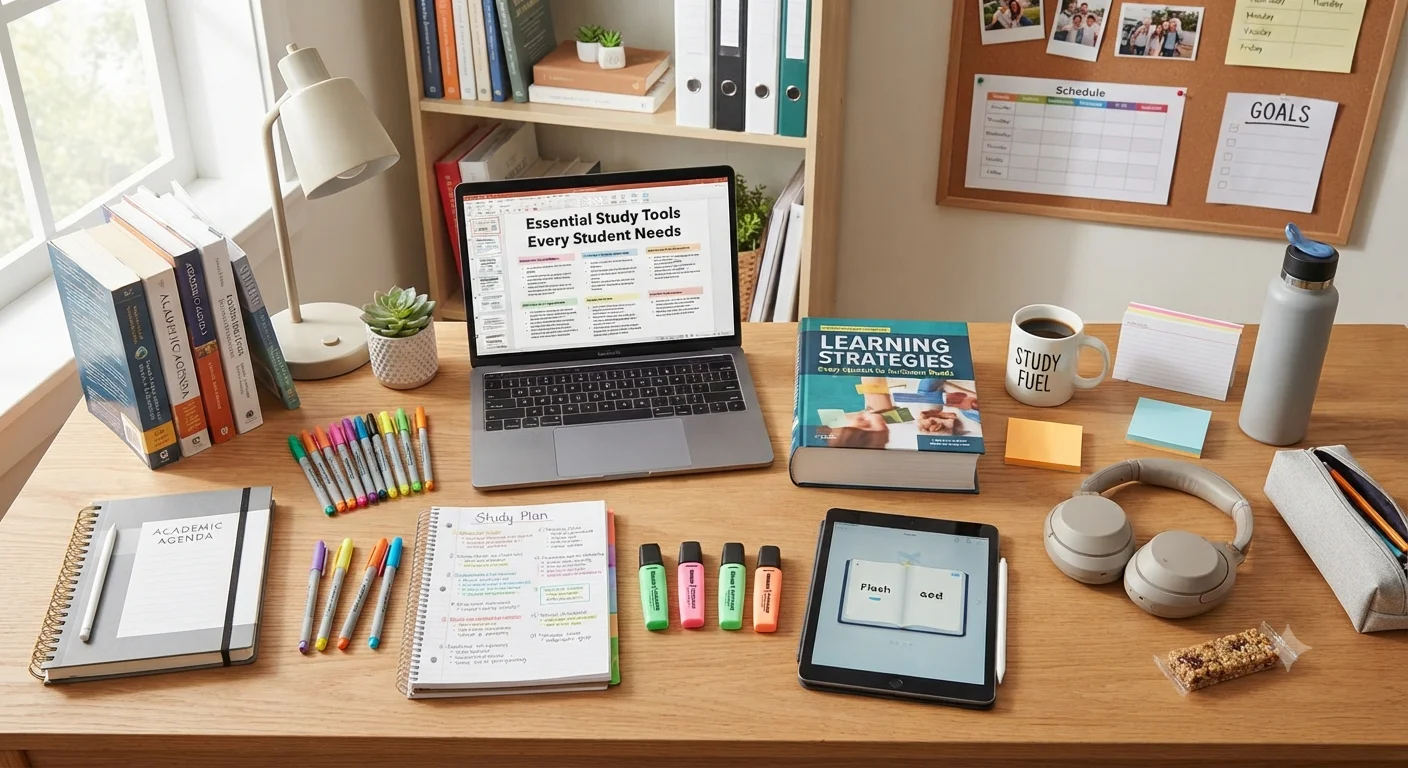
Studying effectively is not simply about spending more hours with a textbook. The quality of a study session depends on how easily a student can focus, organize information, retrieve what they have learned, and manage distractions.
The right study tools can make these tasks easier.
A useful study setup does not need to be expensive or filled with gadgets. In many cases, a few carefully selected tools can provide everything a student needs for productive learning.
A notebook, reliable pens, a comfortable desk, a calendar, a timer, and access to useful digital resources may be more valuable than a large collection of specialized products.
The most effective approach is to choose tools according to the student’s learning habits and academic requirements.
A university student studying engineering may need a calculator, graph paper, and specialized software. A language learner may benefit more from flashcards, headphones, a vocabulary notebook, and reading tools. A school student may need colored pencils, folders, sticky notes, and a simple planner.
The goal is not to collect more supplies.
The goal is to create a study environment where the tools support learning instead of becoming another source of distraction.
read more about digital marketing for students
What Are Study Tools?
A broad definition
Study tools are physical products, digital applications, accessories, and organizational resources that help students learn more effectively.
They can support different stages of learning, including:
- Planning.
- Reading.
- Note-taking.
- Memorization.
- Practice.
- Research.
- Writing.
- Revision.
- Time management.
- Exam preparation.
Some tools are designed specifically for education, while others are ordinary products used strategically for studying.
For example, a timer is not an educational device by itself, but it can help a student structure focused study sessions.
Similarly, a notebook is a simple stationery product, but it can become an important learning tool when used for active recall, problem-solving, or organized notes.
The Difference Between Useful Tools and Unnecessary Supplies
More does not always mean better
Students often buy large stationery sets because they look attractive or because they believe having more supplies will make studying easier.
However, excessive supplies can create clutter.
A productive study setup should answer a simple question:
Does this item make studying easier, clearer, faster, or more organized?
If the answer is no, the item may not be necessary.
For example, one good notebook may be more useful than five partially used notebooks.
One reliable pen may be more useful than a large collection of decorative pens.
One well-designed digital calendar may be more useful than several productivity applications that duplicate the same functions.
Essential Study Tools for Every Student
1. A Reliable Notebook
Why notebooks remain essential
Despite the growth of digital learning, notebooks remain among the most versatile learning tools available.
Writing by hand can help students actively process information rather than simply copy it.
A notebook can be used for:
- Lecture notes.
- Summaries.
- Practice questions.
- Vocabulary.
- Mathematical calculations.
- Brainstorming.
- Exam revision.
- Daily study plans.
Choose the right notebook format
Different subjects may require different formats.
A lined notebook works well for:
- Essays.
- Languages.
- History.
- Literature.
- General notes.
A grid notebook can be useful for:
- Mathematics.
- Physics.
- Chemistry.
- Graphs.
- Diagrams.
A blank notebook may be better for:
- Drawing.
- Mind maps.
- Visual notes.
- Design subjects.
One notebook or several?
The answer depends on the student’s organization style.
Some students prefer one notebook for each subject.
Others prefer one large notebook divided into sections.
The important thing is consistency.
If notes become difficult to find, the notebook is no longer supporting organization.
2. Quality Pens
The simplest tool can make a big difference
A pen is one of the most basic student essentials, but choosing a comfortable writing instrument can improve the experience of taking notes for long periods.
Look for:
- Comfortable grip.
- Smooth ink flow.
- Reliable performance.
- Appropriate line thickness.
- Fast-drying ink if needed.
Keep multiple colors practical
A simple color system can help students organize information.
For example:
- Black for main notes.
- Blue for additional information.
- Red for mistakes or important corrections.
- Green for examples.
The purpose is organization, not decoration.
Using too many colors can make notes harder to scan.
read more about academic writing books
3. Pencils and Erasers
Useful for flexible learning
Pencils are especially useful for subjects involving:
- Mathematics.
- Geometry.
- Drawing.
- Diagrams.
- Technical work.
They are also useful when students are solving problems and expect to make corrections.
A good eraser should remove marks cleanly without damaging the paper.
4. Highlighters
Highlighting should be selective
Highlighters can help students identify important information quickly.
However, highlighting an entire page defeats the purpose.
A better approach is to highlight:
- Definitions.
- Key terms.
- Important dates.
- Formulas.
- Main arguments.
- Exam-relevant facts.
Use a simple highlighting system
Students can assign specific colors to specific categories.
For example:
- Yellow for key concepts.
- Blue for definitions.
- Pink for important examples.
The system should remain simple enough to remember.
5. Sticky Notes
Small notes can solve organizational problems
Sticky notes are useful when students need temporary reminders without writing directly in their notebooks or textbooks.
They can be used for:
- Questions.
- Definitions.
- Reminders.
- Page markers.
- Revision topics.
- To-do items.
Use them as prompts
A particularly useful technique is to write a question on a sticky note and place it beside the relevant material.
This turns passive reading into an opportunity for active recall.
6. Index Cards and Flashcards
Excellent for active recall
Flashcards are among the most useful learning tools for information that must be remembered.
They can be used for:
- Vocabulary.
- Definitions.
- Formulas.
- Historical facts.
- Scientific terminology.
- Foreign languages.
- Question-and-answer revision.
The most effective flashcards generally require the student to retrieve an answer rather than simply recognize it.
Instead of writing:
“Photosynthesis — process in plants.”
A better card might ask:
“What process allows plants to convert light energy into chemical energy?”
The student must actively produce the answer.
7. A Planner
Planning prevents last-minute studying
A planner can help students see what needs to be completed and when.
It can include:
- Assignment deadlines.
- Exams.
- Reading tasks.
- Projects.
- Revision sessions.
- Personal commitments.
Break large assignments into smaller tasks
Instead of writing:
“Study biology.”
A better plan might say:
- Review Chapter 4.
- Create flashcards.
- Complete practice questions.
- Review mistakes.
- Test yourself.
Specific tasks are easier to start and complete.
8. A Digital Calendar
Useful for students with busy schedules
A digital calendar can complement a physical planner.
Students can schedule:
- Classes.
- Exams.
- Study sessions.
- Group meetings.
- Assignment deadlines.
- Personal appointments.
Calendar reminders can also reduce the chance of forgetting important deadlines.
Avoid over-scheduling
A calendar should not become a list of impossible expectations.
Students should leave space for:
- Breaks.
- Travel.
- Meals.
- Unexpected tasks.
- Rest.
A realistic schedule is more useful than an extremely ambitious one.
9. A Study Timer
Time management is a major part of studying
A timer can help students create boundaries around study sessions.
Instead of thinking:
“I will study all afternoon.”
A student can define a specific session:
“Focus on chemistry for 45 minutes.”
Then take a planned break.
Use different study intervals
There is no universal study interval that works for everyone.
Some students prefer:
- 25 minutes of work.
- 5 minutes of break.
Others may prefer:
- 45 minutes of work.
- 10 minutes of break.
Longer sessions may work well for students who can maintain concentration without frequent interruptions.
The important principle is deliberate focus.
10. A Desk Clock
Why a physical timer can help
Using a smartphone as a timer can introduce unnecessary distractions.
A student who unlocks the phone to start a timer may notice notifications, social media messages, or other applications.
A simple desk clock or standalone timer eliminates that temptation.
For students who struggle with phone distractions, this can be a surprisingly valuable addition to their study accessories.
11. A Comfortable Desk
The study environment affects productivity
The desk is one of the most important physical components of a study setup.
A good study desk should provide enough space for:
- Notebook.
- Laptop.
- Books.
- Writing materials.
- Water.
- Other essential items.
A desk that is too small can create clutter.
A desk that is unnecessarily large can encourage the accumulation of items that are not needed.
12. A Comfortable Chair
Comfort matters during long study sessions
Students often spend hours sitting while reading, writing, or working on computers.
A suitable chair should provide adequate support and allow the student to maintain a comfortable working position.
The exact ideal chair varies by person.
The most important consideration is whether the student can use it comfortably without constantly shifting position or developing discomfort.
13. A Desk Lamp
Good lighting supports comfortable reading
A desk lamp can be particularly useful for evening study.
It should provide enough light to illuminate:
- Books.
- Notes.
- Keyboard.
- Writing area.
Avoid placing the lamp where it creates strong reflections on a screen.
Adjustable lamps are practical
An adjustable lamp allows students to change:
- Direction.
- Height.
- Position.
This makes it easier to adapt the lighting to different activities.
14. Noise-Canceling Headphones
Useful in distracting environments
Some students work best in silence.
Others prefer background sounds or music.
Noise-canceling headphones can help reduce environmental distractions such as:
- Conversations.
- Traffic.
- Household noise.
- Construction.
- Background television.
They can be especially useful for students who study in shared spaces.
Don’t assume music always improves concentration
Music can help some students and distract others.
Students should experiment with:
- Silence.
- Instrumental music.
- Ambient sounds.
- White noise.
The best option is the one that helps maintain attention.
read more about study planner app
15. Earbuds
A compact alternative
Wireless earbuds are useful for students who move between locations.
They can be used for:
- Recorded lectures.
- Language practice.
- Educational videos.
- Audiobooks.
- Focus sounds.
However, students should avoid excessively loud listening.
16. A Laptop
A central digital learning tool
For many students, a laptop is no longer optional.
It can support:
- Research.
- Writing.
- Presentations.
- Online classes.
- Coding.
- Data analysis.
- Digital textbooks.
- Collaboration.
Choose according to academic requirements
Students should consider their field of study.
A student writing essays may not need the same hardware as someone studying engineering, architecture, computer science, or video production.
Consider:
- Processor.
- RAM.
- Storage.
- Battery life.
- Display.
- Weight.
- Port selection.
Avoid paying for specifications that will never be used.
17. Tablet
Useful for reading and annotation
A tablet can be particularly useful for students who read many digital documents.
It can provide a more portable reading experience than a laptop.
Depending on the model and accessories, students can:
- Annotate PDFs.
- Read textbooks.
- Take handwritten notes.
- Watch lectures.
- Review flashcards.
Tablet versus laptop
A tablet is not automatically a replacement for a laptop.
Students who need specialized software, extensive typing, programming tools, or complex multitasking may still benefit from a traditional computer.
For many students, the two devices serve different purposes.
18. Keyboard
Useful for tablets and long writing sessions
A physical keyboard can turn a tablet into a more practical writing device.
It may be useful for:
- Essays.
- Reports.
- Assignments.
- Emails.
- Notes.
For students who type frequently, a comfortable keyboard can also improve the overall study experience.
19. Computer Mouse
A small accessory with practical benefits
A mouse can be useful for students working with:
- Spreadsheets.
- Design software.
- Presentations.
- Research.
- Large documents.
A comfortable mouse can be especially helpful during long computer sessions.
20. Laptop Stand
Improve desk organization
A laptop stand can raise the screen and free some desk space.
It can also make it easier to position the laptop screen at a comfortable viewing height.
Students using an external keyboard and mouse may particularly benefit from a stand.
21. USB-C Hub
Useful for modern laptops
Many thin laptops and tablets have fewer physical ports.
A USB-C hub can expand connectivity by providing ports for:
- USB devices.
- Displays.
- Memory cards.
- Charging.
- Other accessories.
Students should verify compatibility before purchasing.
22. External Storage
Protect important academic files
Students accumulate many digital documents over the course of a semester.
These may include:
- Essays.
- Presentations.
- Research papers.
- Projects.
- Photos.
- Videos.
- Lecture materials.
An external SSD or other storage device can provide additional space and another place to keep important files.
However, external storage should not be the only backup.
23. Cloud Storage
Access files from multiple devices
Cloud storage can help students access their work from:
- Laptop.
- Tablet.
- Phone.
- University computer.
It can also provide protection against losing files if a device is damaged.
Students should still understand the backup system they are using rather than assuming every cloud service automatically protects every file in every situation.
24. Backup System
One copy is not enough for important work
Imagine spending several weeks on a research project and then losing the file because a laptop fails.
A simple backup strategy can prevent this.
Students can maintain:
- The main file on the computer.
- A cloud copy.
- An external backup when appropriate.
Important assignments should be backed up before submission.
25. Calculator
Essential for many subjects
A calculator remains an important tool for students in mathematics, science, economics, engineering, accounting, and related fields.
The correct calculator depends on academic requirements.
Some courses may allow only basic calculators.
Others may permit scientific or graphing calculators.
Students should check examination rules before purchasing.
26. Ruler and Measuring Tools
Useful beyond mathematics
A ruler can help with:
- Geometry.
- Diagrams.
- Graphs.
- Design.
- Technical drawings.
Students in architecture, engineering, art, and design may need more specialized measuring equipment.
27. Whiteboard
Excellent for visual problem-solving
A small whiteboard can be one of the most useful study accessories for students who like to think visually.
It can be used to:
- Solve equations.
- Draw diagrams.
- Practice presentations.
- Explain concepts.
- Create mind maps.
- Plan projects.
Why changing the surface can help
Writing on a whiteboard allows students to quickly erase and reorganize information.
This can encourage experimentation.
A student may be more willing to attempt a difficult problem when mistakes can be erased easily.
28. Whiteboard Markers
Keep the set simple
A few colors are usually enough.
Useful colors may include:
- Black.
- Blue.
- Red.
- Green.
Always keep an eraser or suitable cleaning cloth nearby.
29. Corkboard or Study Board
Make important information visible
A board near the study area can display:
- Exam dates.
- Weekly goals.
- Important reminders.
- Project deadlines.
- Motivational notes.
The board should not become overloaded.
If everything is labeled “important,” nothing stands out.
30. Folders and Document Organizers
Paper organization still matters
Students may receive:
- Printed assignments.
- Handouts.
- Certificates.
- Administrative documents.
- Study sheets.
Folders can prevent these papers from becoming mixed together.
A simple system might use one folder per subject.
31. Binder
Flexible organization
A binder allows students to add and remove pages.
This can be useful when course materials change frequently.
Dividers can separate:
- Lecture notes.
- Assignments.
- Practice exercises.
- Revision materials.
32. Bookmarks
Small but useful
Bookmarks make it easier to return to important textbook sections.
Physical bookmarks can also help students avoid repeatedly searching for the same pages.
Digital bookmarks can serve a similar function in online research.
33. Textbook Stand
Helpful for heavy books
A textbook stand can keep a book open at a comfortable angle.
It can be useful when students need to:
- Copy information.
- Read while taking notes.
- Follow instructions.
- Practice from a textbook.
It can also free both hands for writing.
34. Water Bottle
A simple study essential
Students can become absorbed in studying and forget basic needs.
Keeping water nearby can reduce unnecessary trips away from the desk.
A reusable bottle can also reduce reliance on disposable plastic bottles.
35. Small Snack Container
Useful for long study sessions
For students who spend several hours studying, having an appropriate snack available can reduce unnecessary interruptions.
The goal is convenience rather than constant eating while studying.
A small snack can be useful during longer sessions or breaks.
36. Cable Organizer
Reduce desk clutter
Students often accumulate charging cables for:
- Phones.
- Tablets.
- Laptops.
- Headphones.
- External drives.
A cable organizer can keep them separated and easier to locate.
A tidy desk can make it easier to begin a study session without first spending several minutes searching for equipment.
37. Charging Station
Keep devices ready
A charging station can organize several devices in one place.
It can be particularly useful for students who own:
- Smartphone.
- Tablet.
- Laptop.
- Earbuds.
- Smartwatch.
However, charging should be done using reliable equipment from reputable manufacturers.
38. Power Bank
Useful for studying away from home
A power bank can be one of the most practical portable student essentials.
It can keep a phone or compatible device running during:
- Campus days.
- Library sessions.
- Commuting.
- Travel.
- Group projects.
A 10,000mAh-class model is often a practical balance between capacity and portability for everyday use.
39. Portable Wi-Fi or Mobile Hotspot
Helpful when internet access is unreliable
Some students study in locations where Wi-Fi is unavailable or inconsistent.
A mobile hotspot can provide an alternative connection where supported by the relevant mobile network.
This can be particularly useful for:
- Online classes.
- Remote study.
- Research.
- Group projects.
Students should consider the cost of the required data plan.
40. Screen Protector
Protect frequently used devices
Students often carry laptops, tablets, and phones between multiple locations.
Protective accessories can reduce the risk of scratches and minor damage.
However, students should choose products that are compatible with the device and do not interfere with touch sensitivity or display quality.
41. Protective Laptop Sleeve
Essential for students who commute
A laptop sleeve provides an additional layer of protection inside a backpack.
Look for:
- Correct device dimensions.
- Padding.
- Secure closure.
- Durable materials.
The sleeve should fit the device properly rather than being excessively loose.
read more about brain foods for studying
42. Backpack
One of the most important student essentials
A good student backpack should accommodate the tools a student actually carries.
Consider:
- Laptop compartment.
- Tablet compartment.
- Notebook space.
- Water bottle holder.
- Charging accessories.
- Comfortable straps.
- Weight distribution.
A backpack that is technically spacious but uncomfortable may become a problem during daily commuting.
43. Desk Organizer
Keep essential tools within reach
A small organizer can hold:
- Pens.
- Pencils.
- Highlighters.
- Scissors.
- Ruler.
- Sticky notes.
The objective is to reduce visual clutter without filling the desk with containers.
44. Scissors and Tape
Useful for projects and organization
These basic supplies can be surprisingly useful for:
- School projects.
- Flashcards.
- Printed materials.
- Posters.
- Organization.
They are inexpensive and take up very little space.
45. Index Tabs
Make textbooks easier to navigate
Index tabs can mark:
- Important chapters.
- Formulas.
- Frequently referenced pages.
- Exam topics.
They are especially useful for textbooks that students need to revisit repeatedly.
46. Digital Note-Taking App
Organize information across devices
A digital note-taking application can provide searchable notes and synchronization.
Useful features may include:
- Text notes.
- Handwriting.
- Images.
- Audio.
- Checklists.
- Search.
- Folders.
Students should choose one system and learn to use it well instead of constantly switching applications.
47. Task Management App
Break studying into actionable steps
A task-management tool can help students organize:
- Assignments.
- Projects.
- Reading.
- Revision.
- Deadlines.
The most useful task list is usually simple.
A student should be able to open it and immediately understand what needs to happen next.
48. Flashcard App
Digital flashcards can complement physical cards
Digital flashcard systems can make it easier to:
- Review frequently.
- Organize large card collections.
- Search terms.
- Track progress.
They can be especially useful for subjects involving large amounts of factual information.
49. PDF Annotation Tool
Useful for digital textbooks and papers
Students increasingly work with PDF documents.
A good annotation tool can allow them to:
- Highlight.
- Underline.
- Add comments.
- Draw.
- Bookmark pages.
The objective is to interact with the material rather than simply read it passively.
50. Citation and Reference Tools
Essential for academic writing
Students writing research papers need to keep track of their sources.
Reference-management tools can help organize:
- Books.
- Journal articles.
- Websites.
- Citations.
- Bibliographies.
Students should still verify citations against their institution’s required style.
51. Dictionary
Useful for language learners
A reliable dictionary can help students understand:
- Definitions.
- Pronunciation.
- Word usage.
- Synonyms.
- Example sentences.
Digital dictionaries are convenient, but a physical dictionary can also be useful when studying without a device.
52. Language Learning Tools
Build vocabulary systematically
Language learners can combine:
- Flashcards.
- Vocabulary notebooks.
- Audio resources.
- Reading materials.
- Pronunciation tools.
- Conversation practice.
The strongest setup combines several learning activities rather than relying on a single application.
53. Reading Light
Useful for flexible study environments
A small reading light can help students who read in different locations.
It can be useful in:
- Dorm rooms.
- Shared bedrooms.
- Travel environments.
The light should be positioned to illuminate the page without creating unnecessary glare.
54. Noise and Focus Tools
Different students need different environments
Some students require complete silence.
Others benefit from consistent background sounds.
Possible tools include:
- Earplugs.
- Noise-canceling headphones.
- White-noise devices.
- Ambient sound applications.
Students should experiment and identify what reduces distractions rather than assuming one method works for everyone.
55. A Study Journal
Track what actually works
A study journal can help students record:
- What they studied.
- How long they studied.
- What they understood.
- What remains difficult.
- What they need to review.
This creates a feedback loop.
Instead of simply asking, “Did I study today?” the student can ask, “What did I learn, and what still needs work?”
How to Build a Minimal Study Kit
Start with the essentials
A basic study kit could contain:
- Notebook.
- Pens.
- Pencil.
- Eraser.
- Highlighter.
- Sticky notes.
- Planner.
- Timer.
- Laptop or tablet if required.
- Headphones.
- Water bottle.
This is enough for many students.
Add specialized tools only when necessary
Then add items based on the subject.
For example:
A mathematics student may add a scientific calculator and graph paper.
A design student may need drawing tools.
A language student may add flashcards and pronunciation resources.
A computer science student may need specific software and external storage.
How to Organize Your Study Tools
Keep frequently used items nearby
The tools used every day should be easiest to reach.
Less frequently used equipment can be stored elsewhere.
Create a reset routine
At the end of each study session:
- Put pens away.
- Return books.
- Charge devices.
- Save files.
- Clear unnecessary papers.
- Prepare materials for the next session.
This makes the next study session easier to start.
Don’t Let Study Accessories Become Distractions
Productivity can become procrastination
Students can spend hours watching videos about the “perfect study setup,” reorganizing stationery, or downloading productivity applications.
None of these activities replaces actual learning.
A new notebook does not memorize vocabulary.
A beautiful desk does not solve mathematics problems.
A productivity application does not write an essay.
Tools are useful only when they support the learning process.
The Best Study Tools Are the Ones That Match the Student
Every student has different needs
There is no universal list of perfect study tools.
A student who studies primarily at home may need a desk lamp and monitor.
A student who spends most of the day on campus may prioritize a backpack, power bank, headphones, and lightweight notebooks.
A student preparing for exams may benefit heavily from flashcards, practice papers, a planner, and a timer.
A student working on research projects may need cloud storage, reference-management software, PDF annotation tools, and reliable backups.
The right combination is personal.
read more about stay focused while studying
The most productive study setup is not necessarily the most expensive one.
The most useful student essentials are the tools that reduce friction between deciding to study and actually studying.
A notebook makes it easy to take notes.
A planner makes deadlines visible.
A timer creates focused study periods.
A flashcard system supports active recall.
A laptop provides access to research and coursework.
Headphones can reduce distractions.
A backpack makes the entire system portable.
A power bank keeps essential devices running away from an outlet.
The key is to build a system rather than simply collect supplies.
Start with the basics. Identify the tasks that repeatedly create problems. Then add a tool that solves each specific problem.
When selected carefully, study accessories can make learning more organized, more convenient, and easier to sustain throughout a demanding academic year.
The best study tool is ultimately not the one with the most features. It is the one that helps the student spend less time dealing with unnecessary friction and more time doing the work that actually leads to learning.