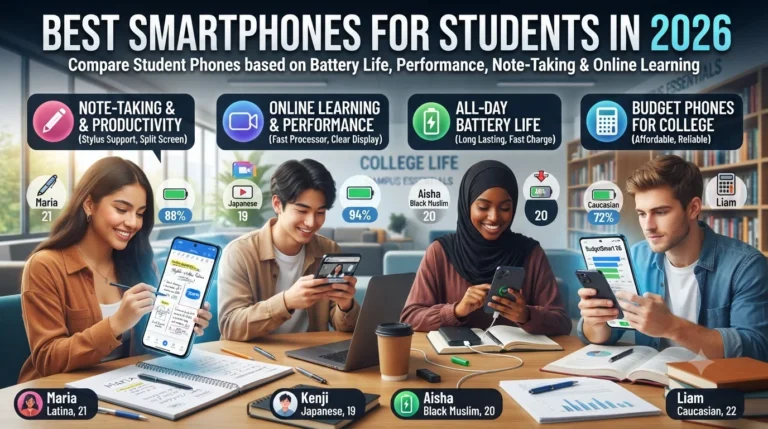
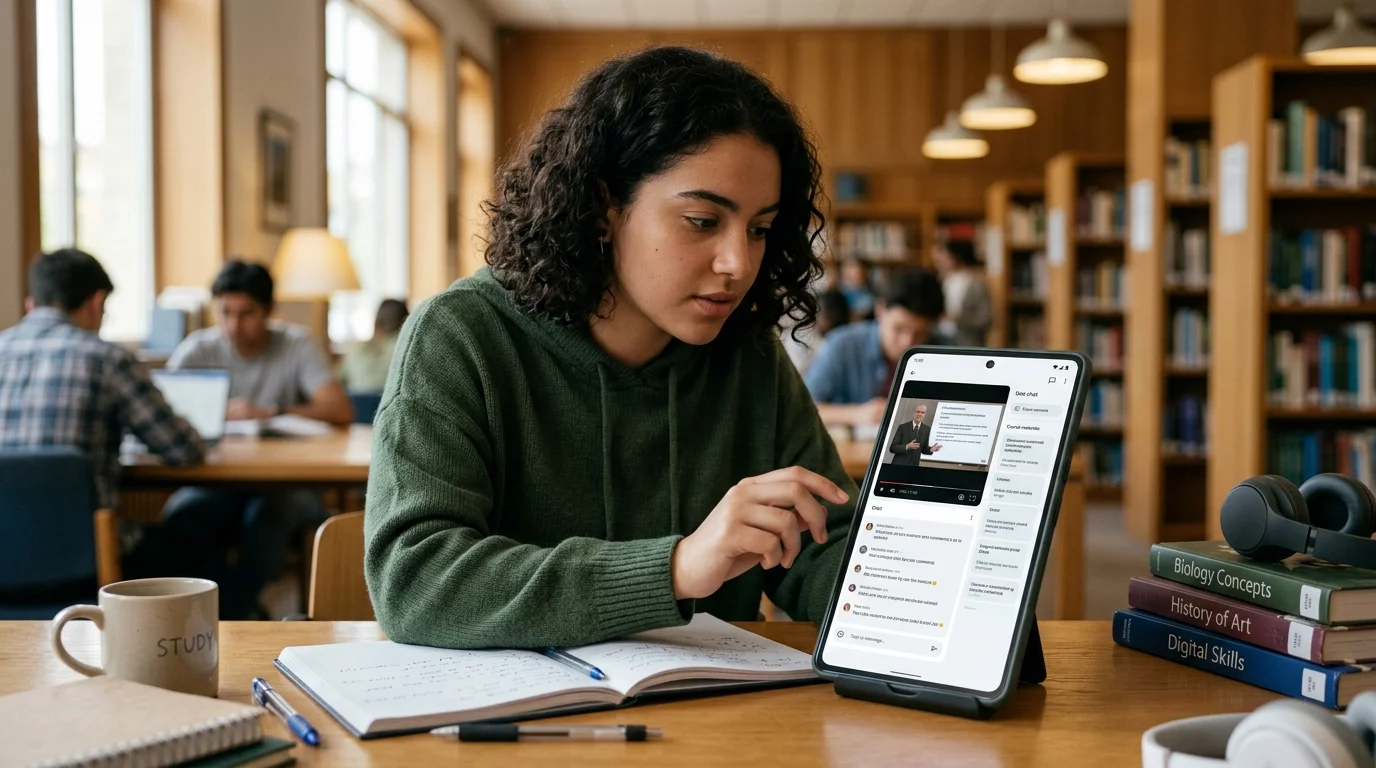
Choosing the best smartphone for online learning is no longer simply about finding a phone with a good camera or a powerful processor. For students, learners, and anyone taking online courses, a smartphone can function as a classroom, research tool, communication device, note-taking assistant, and entertainment platform all at once.
Online learning often involves watching video lectures, joining live classes, downloading educational materials, reading PDFs, completing assignments, using learning apps, attending video conferences, communicating with instructors, and searching for information. A phone that performs well in everyday social media use may not necessarily provide the best experience for these tasks.
The ideal study phone should offer a comfortable display, reliable battery life, sufficient storage, stable performance, good connectivity, useful cameras for scanning documents or attending video calls, and software that remains supported for several years. Audio quality is also important because students may spend hours listening to lectures, podcasts, language lessons, and recorded classes.
Budget is another major consideration. Students do not always need a flagship smartphone for online education. A well-balanced mid-range phone can provide everything necessary for learning without paying for features that have little educational value.
This guide explains how to choose the right phone for students and online learners, what specifications matter most, which features are worth prioritizing, and how to build a smartphone-based learning setup that is practical for everyday study.
read more about Quran apps
Why a Smartphone Can Be Useful for Online Learning
Smartphones Make Learning More Flexible
One of the biggest advantages of using a smartphone for education is portability.
A laptop or tablet can provide a larger workspace, but a smartphone can be carried almost anywhere. Students can watch a short lecture while commuting, review vocabulary while waiting for an appointment, listen to educational audio during a break, or read a document without carrying additional equipment.
This flexibility can make it easier to use small periods of free time for learning.
Smartphones Support Multiple Learning Activities
A modern smartphone can support many educational tasks through a combination of apps and web-based services.
Students can use a phone to:
- Watch recorded lectures
- Join live classes
- Read digital textbooks
- Download PDF files
- Take notes
- Record voice notes
- Search for information
- Use calculators
- Practice languages
- Complete quizzes
- Submit assignments
- Communicate with instructors
- Participate in online study groups
- Scan documents
- Photograph handwritten notes
- Use educational AI tools
- Manage study schedules
Because one device can perform all these functions, choosing the right specifications becomes important.
What Makes the Best Smartphone for Online Learning?
A Comfortable Display
The display is one of the most important features for students.
Online learning often requires looking at the screen for extended periods. A small or low-quality display can make reading PDFs, slides, charts, and educational websites uncomfortable.
A phone with a sufficiently large screen, good resolution, strong brightness, and comfortable viewing characteristics can make educational content easier to follow.
Screen size should be considered alongside portability. A very large phone may provide more comfortable reading, but it may also be less convenient to hold for long periods.
Good Screen Resolution
Higher resolution can make text and diagrams appear sharper.
This is especially useful when reading:
- PDFs
- Academic articles
- Presentations
- E-books
- Digital textbooks
- Charts
- Technical diagrams
Students do not necessarily need the highest resolution available. A good-quality Full HD-class display is generally more important than chasing specifications that have little practical benefit for ordinary learning.
Adequate Brightness
Brightness becomes particularly important for students who study in different environments.
A display should be bright enough to remain readable in well-lit rooms or outdoors when necessary.
At the same time, students who study at night may benefit from display settings that reduce visual discomfort, such as adaptive brightness and a properly implemented night or eye-comfort mode.
Battery Life Matters for Students
Why Battery Capacity Is Important
A phone used for online learning can consume considerable battery power.
Video streaming, video calls, mobile data, screen brightness, Bluetooth, and educational apps can all contribute to battery consumption.
A phone with good battery endurance reduces the need to interrupt a study session to find a charger.
Students should consider actual battery performance rather than battery capacity alone. Two phones with similar battery capacities may provide different real-world endurance because of differences in processor efficiency, display technology, software optimization, and network usage.
Fast Charging Can Be Valuable
Fast charging can be particularly convenient for students.
If a learner discovers that the phone battery is low shortly before an online class, fast charging can provide useful additional battery life within a relatively short period.
However, charging speed should not be the only factor considered. Battery health management and charging safety are also important.
read more about power bank for students
Processor Performance for Learning
Students Do Not Always Need a Flagship Processor
The processor affects how quickly apps open, how smoothly video calls run, and how efficiently the phone handles multiple tasks.
For basic online learning, an expensive flagship processor is usually unnecessary.
A modern mid-range processor can often handle:
- Video lectures
- Browsing
- PDF reading
- Note-taking
- Educational apps
- Video calls
- Cloud storage
- Messaging
- Multiple browser tabs
The more demanding the student’s workload, the more important processing power becomes.
Consider Multitasking
Students may need to move between a video lecture, browser, notes app, calculator, and messaging platform.
A phone with adequate processor performance and RAM can make switching between these applications smoother.
If a student regularly uses multiple demanding applications at once, investing in a stronger device can improve the overall experience.
How Much RAM Does a Study Phone Need?
Understanding RAM
RAM helps the phone manage applications that are actively running.
Insufficient RAM can cause applications to reload when switching between them. This can be frustrating when moving from an online lecture to a notes application and then returning to the lecture.
For most students, a modern phone with a reasonable amount of RAM should be sufficient for common educational tasks.
More RAM can be useful for heavier multitasking, but students should not choose a phone based solely on the largest RAM number.
Software optimization is also important.
Balance RAM With Other Specifications
A phone with large RAM but poor battery life, weak software support, limited storage, or an uncomfortable display may still be a poor study device.
Students should consider the complete package rather than one specification.
Storage Capacity for Online Learning
Why Storage Can Fill Quickly
Educational content can take up significant storage space.
Students may download:
- Video lectures
- PDF textbooks
- Recorded classes
- Presentation files
- Audio lessons
- Images
- Assignments
- Offline maps
- Learning apps
A phone with limited storage may become inconvenient over time.
Choose Enough Storage for Your Learning Style
Students who primarily stream content may need less internal storage than students who download complete courses for offline use.
Those who frequently record videos, scan documents, or download large files should consider a larger storage capacity.
Cloud storage can supplement internal storage, but it should not be considered a complete replacement for adequate local storage.
Connectivity Is Essential for Online Learning
Wi-Fi Performance
Reliable Wi-Fi connectivity is fundamental for online classes.
Students should consider a phone that supports modern Wi-Fi standards appropriate for their home network.
A good Wi-Fi connection can improve video streaming, file downloads, cloud synchronization, and video conferencing.
Mobile Data
Not every student has reliable Wi-Fi at home.
For learners who frequently rely on mobile data, network compatibility and modem performance are important.
Before purchasing a phone, students should verify that it supports the relevant mobile network bands and connectivity technologies used by their carrier.
5G or 4G?
A student does not automatically need 5G.
If affordable 5G service is widely available in the student’s area and the phone will be used for several years, 5G can be useful for future-proofing.
However, a good 4G phone may still be perfectly adequate for video lectures, browsing, messaging, and most online learning tasks.
The decision should depend on local network availability, data plans, and budget.
Audio Quality for Online Classes
Speakers Matter More Than Many Students Expect
Clear audio is essential when watching lectures.
Poor speakers can make instructors difficult to understand, especially in environments with background noise.
A phone with good speaker quality can improve the experience when headphones are unavailable.
Headphone Support
Students who attend online classes in shared spaces may prefer headphones or earbuds.
A phone that works reliably with Bluetooth audio devices can be useful for private study.
If wired headphones are preferred, students should also check whether the phone has a headphone jack or requires an adapter.
Microphone Quality for Online Classes
Clear Voice Communication
Students do not only consume educational content; they may also need to participate.
During live classes, presentations, interviews, or group discussions, microphone quality affects how clearly others hear the student.
A good microphone system can be particularly important for students who regularly participate in video conferences.
Noise Reduction
Noise reduction can improve voice clarity in environments with background sounds.
Students studying at home may encounter fans, traffic, family conversations, or other distractions. A phone with effective microphone processing can help reduce some background noise during calls.
read more about improve English writing
Camera Features That Help Students
Scanning Documents
A good smartphone camera can be useful for photographing documents, handwritten notes, textbook pages, whiteboards, and classroom materials.
Document-scanning applications can convert photographs into more organized digital files.
For this purpose, image clarity and autofocus are generally more important than having an extremely high megapixel count.
Video Calls
Students attending virtual classes may also use the front camera for video conferences.
A reasonably good front camera can provide clear video under good lighting conditions.
However, students should not choose a phone primarily for its selfie camera unless video communication is a major part of their studies.
Software Support Is Extremely Important
Why Software Updates Matter
A smartphone can have excellent hardware but become less useful if it stops receiving important software and security updates too quickly.
Students often use their phones to access personal accounts, educational platforms, email, cloud storage, and payment services.
Longer software support can therefore make a phone more practical over several years.
Check the Manufacturer’s Update Policy
Before buying a study phone, check how long the manufacturer promises software and security updates for that specific model.
Update policies vary considerably between manufacturers and models.
Long-term software support can also make the device more secure and compatible with newer applications.
Educational Apps and Smartphone Compatibility
Learning Apps Require Reliable Performance
Educational applications range from simple flashcard tools to advanced language-learning platforms, digital classrooms, note-taking systems, and specialized academic software.
A good study phone should be compatible with the learning apps the student expects to use.
Before purchasing a phone, check the operating system requirements for essential applications.
Common Categories of Learning Apps
Students may use applications for:
- Language learning
- Mathematics
- Programming
- Note-taking
- Flashcards
- Exam preparation
- Video courses
- Digital libraries
- Productivity
- Time management
- Collaboration
- Document editing
The best smartphone for a particular student is therefore partly determined by the apps required for that student’s education.
Android or iPhone for Online Learning?
Android Phones for Students
Android offers a wide range of smartphones across different prices.
This makes it easier for students with different budgets to find a suitable device.
Android phones also come in many screen sizes and hardware configurations, giving students more choice in battery capacity, storage, cameras, processors, and other features.
iPhone for Students
iPhones can provide strong performance, long-term software support, high-quality cameras, and integration with other devices in the same ecosystem.
For students who already use other Apple products, features such as device synchronization and file sharing may be useful.
However, an iPhone is not automatically necessary for online learning. Students should compare the overall cost and features against their actual educational needs.
Choose the Ecosystem That Fits Your Needs
The best operating system is often the one that works well with the student’s existing devices, required applications, budget, and preferred workflow.
Educational effectiveness does not depend solely on whether a student chooses Android or iOS.
Battery Saving for Online Learning
Manage Screen Brightness
The display can consume substantial battery power.
Using automatic brightness or reducing brightness when conditions allow can help extend battery life.
Close Unnecessary Background Activity
Some applications may continue using battery and data in the background.
Students can review battery settings to identify applications consuming unusually high amounts of power.
Download Content Before Class
If the learning platform supports offline access, downloading educational content while connected to Wi-Fi can reduce dependence on mobile data and provide access when connectivity becomes unreliable.
This can be particularly useful for recorded lectures and downloadable course materials.
Storage Management for Students
Organize Educational Files
Students should establish a simple folder structure for their learning materials.
For example, files can be separated into:
- University courses
- Online courses
- Assignments
- Lecture notes
- PDFs
- Exams
- Projects
Good organization reduces the time spent searching for files.
Remove Unnecessary Downloads
Educational files can accumulate quickly.
Regularly reviewing downloaded lectures, duplicate documents, screenshots, and temporary files can free storage space.
Cloud storage can also be used for files that are not needed locally every day.
Note-Taking on a Smartphone
When Phone Notes Are Useful
A smartphone can be excellent for quick notes.
Students can record:
- Ideas
- Homework reminders
- Questions for instructors
- Vocabulary
- Important dates
- Short summaries
- Research ideas
Voice-to-text tools can also help capture ideas quickly.
When a Larger Device Is Better
For extensive note-taking, a tablet or laptop may be more comfortable.
Students should therefore view the smartphone as one component of a broader learning setup rather than assuming it can replace every other device.
Using the Smartphone for Time Management
Study Planning Apps
A study phone can help students organize their schedules.
Calendar and task-management applications can be used to track:
- Class times
- Assignment deadlines
- Exams
- Study sessions
- Project milestones
- Group meetings
Notifications can help students remember important deadlines.
Avoid Notification Overload
The same phone used for studying is also a major source of distractions.
Social media notifications, entertainment apps, games, and messaging can interrupt concentration.
Students can use focus modes, notification controls, app timers, or dedicated study modes to reduce distractions during study sessions.
read more about digital marketing skills
Eye Comfort and Long Study Sessions
Take Regular Breaks
Even a high-quality display does not eliminate the need for breaks.
Students who spend long periods reading or watching lectures should regularly look away from the screen and rest their eyes.
Adjust the Display
Students can experiment with brightness, text size, contrast, and night settings to create a more comfortable viewing experience.
Increasing text size can be particularly useful when reading long documents on a relatively small screen.
Security Features for Students
Protect Educational Accounts
Students may use the phone to access email, university portals, cloud storage, payment services, and private documents.
A secure lock screen is therefore essential.
Options may include:
- Strong PIN
- Password
- Fingerprint authentication
- Face authentication
The appropriate method depends on the device and the user’s preferences.
Keep the Phone Updated
Security updates should be installed when available.
Students should also avoid downloading applications from untrusted sources and should review app permissions carefully.
Durability for Student Life
Consider Everyday Use
Students may carry their phones between classrooms, libraries, public transportation, cafes, and home.
A durable device can therefore be more valuable than a fragile premium design.
Protective cases and screen protectors can help reduce the risk of damage.
Water and Dust Resistance
Some smartphones provide resistance against water or dust exposure.
This feature can provide additional protection in everyday situations, although it should not be interpreted as a guarantee that the phone is waterproof under every circumstance.
Ergonomics and Comfort
Weight Matters
Students may hold their phones for extended periods while watching lectures or reading.
A very heavy device can become uncomfortable during long sessions.
The best study phone should balance screen size with weight and handling comfort.
One-Handed Use
Students may use their phones while standing, commuting, or taking quick notes.
A device that is comfortable to operate can be more practical than one that offers a slightly larger display but is difficult to handle.
How Much Should Students Spend?
Avoid Paying for Features You Do Not Need
Students should first identify their educational requirements.
If the phone will mainly be used for video classes, reading PDFs, browsing, communication, and learning apps, a mid-range phone may be sufficient.
Paying significantly more for advanced gaming performance or professional-level cameras may not improve the learning experience proportionally.
Think About Long-Term Value
The purchase price is only one part of the total value.
A phone with longer software support, strong battery endurance, durable construction, and sufficient storage may provide better long-term value even if its initial price is higher.
read more about healthy study snacks
Finding the best smartphone for online learning is primarily about matching the device to the student’s actual needs rather than buying the most expensive or technically powerful model.
For most learners, the most important characteristics are a comfortable display, reliable battery life, sufficient storage, smooth everyday performance, dependable connectivity, clear audio, useful cameras, strong security, and long-term software support. These features directly affect how easily a student can watch lectures, attend virtual classes, read educational materials, use learning apps, complete assignments, and stay organized.
Students should also think about their individual learning habits. Someone who downloads entire courses needs more storage. Someone who attends frequent video conferences should pay closer attention to the camera and microphone. A student who commutes may prioritize battery life and mobile connectivity, while a language learner may care more about speaker and microphone quality.
Budget should remain an important part of the decision. A well-chosen mid-range phone for students can provide an excellent learning experience without the cost of a premium flagship. Spending more only makes sense when the additional features provide meaningful benefits for the student’s specific workflow.
Finally, the smartphone itself is only one part of an effective digital learning environment. Combining a good study phone with reliable headphones, a phone stand, cloud storage, productivity tools, learning apps, and sensible notification controls can create a flexible setup that supports both online education and everyday life.
The best choice is ultimately the smartphone that gives the student enough performance, battery life, storage, comfort, connectivity, and software support to learn efficiently throughout the period they expect to use it.