Students today use their phones for far more than calls and entertainment. A smartphone can function as a digital textbook, calculator, research tool, classroom, dictionary, note-taking assistant, timer, communication device, and source of educational videos. With online classes, digital learning platforms, educational applications, video tutorials, and study groups becoming increasingly common, the phone has become an important part of modern education.
However, using a smartphone for studying does not always mean using it effectively.
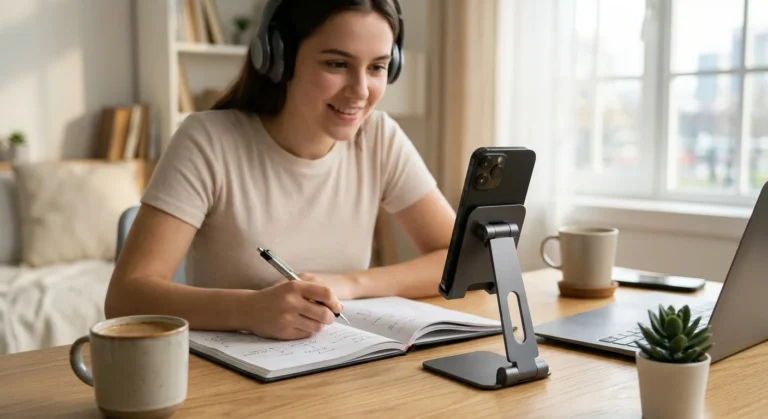
One of the simplest accessories that can make a major difference is a phone stand for studying. A properly positioned stand can transform the way students interact with their phones during study sessions. Instead of holding the device for long periods or leaving it flat on a desk, students can keep the screen at a more convenient viewing angle while maintaining a more organized workspace.
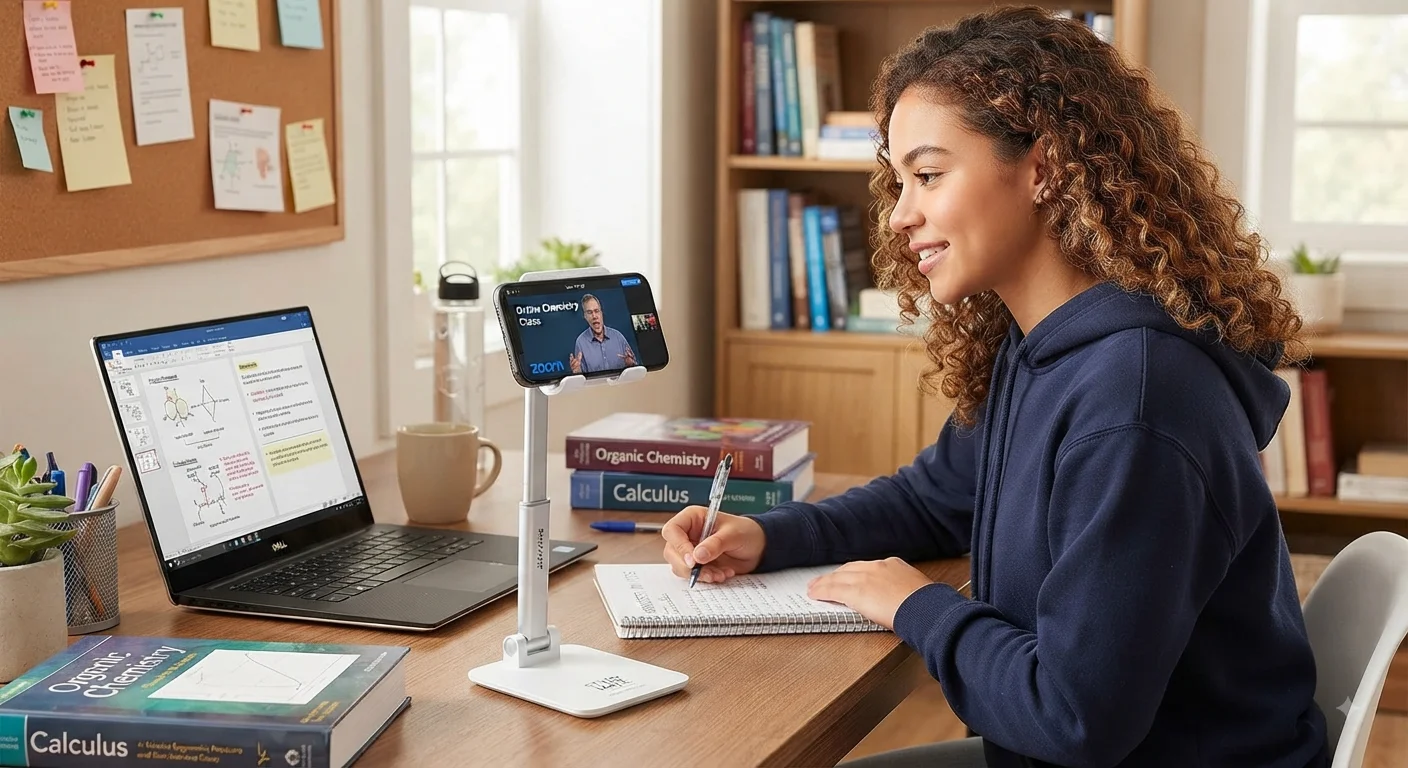
A mobile stand can also make online classes easier to follow, improve access to study materials, and reduce the constant need to pick up and reposition the phone. Whether a student is watching a recorded lecture, attending an online class, reading a digital textbook, following a tutorial, or using a timer during a focused study session, a stable phone holder can provide a more comfortable and consistent setup.
The value of a phone stand is not simply about convenience. It is also connected to posture, organization, concentration, accessibility, and productivity.
This guide explains why a phone stand can be one of the most practical accessories for students, how to choose the right model, how to position it correctly, and how to use it as part of an efficient study environment.
read more about brain foods for studying
What Is a Phone Stand for Studying?
A Simple Accessory With Multiple Uses
A phone stand is a small accessory designed to support a smartphone in a stable position.
Some models are simple folding stands. Others have adjustable arms, rotating hinges, multiple viewing angles, charging openings, or weighted bases.
For students, the most important function is not necessarily advanced features. The essential purpose is to keep the phone visible and stable without requiring the student to hold it continuously.
A phone stand for studying can be placed on:
- A study desk.
- A classroom table.
- A bedside table.
- A kitchen counter.
- A library desk.
- A home office.
- A dormitory desk.
This flexibility makes the accessory useful in different learning environments.
Why Position Matters
When a phone lies flat on a desk, students often have to look downward to read the screen.
When the phone is held in the hand, one hand becomes occupied and the device may move constantly.
A stand solves both problems by creating a fixed viewing position.
The student can place the phone at an angle that makes the screen easier to see while keeping both hands available for writing, typing, solving problems, or using another study material.
Why Students Spend So Much Time Looking at Their Phones
Smartphones Are Now Part of the Learning Environment
The traditional image of studying involves textbooks, notebooks, pens, and perhaps a laptop.
Modern studying is different.
Students may use a smartphone to:
- Search for definitions.
- Watch educational videos.
- Attend online classes.
- Read articles.
- Use flashcard applications.
- Check assignments.
- Record lectures.
- Listen to educational podcasts.
- Translate unfamiliar words.
- Use calculators.
- Scan documents.
- Communicate with classmates.
- Access learning platforms.
This means the phone is no longer necessarily a distraction. When used intentionally, it can become an educational tool.
The problem is that smartphones are designed for handheld use, while many study activities require students to look at a screen for extended periods.
A mobile stand bridges that gap by turning a handheld device into a stationary learning screen.
The Phone Can Become a Secondary Screen
Students who use laptops for studying can place their phones beside the computer.
The phone might display:
- A lecture.
- A timer.
- A reference document.
- A dictionary.
- A calculator.
- A video.
- A digital flashcard application.
Instead of repeatedly switching between devices, students can maintain a more organized workspace.
How a Phone Stand Improves Study Comfort
It Reduces the Need to Hold the Phone
Holding a smartphone for an extended period can become uncomfortable.
The hand must maintain the device, and the wrist may remain in the same position for a long time.
During short activities, this may not matter.
During a two-hour online lecture or extended study session, however, constantly holding the phone can become inconvenient.
A phone holder takes the weight of the device away from the hands.
The student can place the phone on the stand and concentrate on the lesson instead.
It Creates a More Consistent Viewing Angle
Without a stand, students often improvise.
They may lean the phone against:
- A book.
- A pencil case.
- A water bottle.
- A wall.
- A stack of notebooks.
These solutions can work temporarily, but they are rarely stable.
The phone may slide down, fall over, or change angle.
A proper stand provides a predictable viewing position.
It Can Support Better Desk Organization
An organized workspace can make studying feel easier.
A phone placed randomly on the desk can occupy useful space and become difficult to see.
A stand gives the phone a defined location.
The student knows exactly where the device belongs.
This small organizational improvement can make a study area feel more structured.
Phone Stand and Student Posture
Screen Height Matters
One of the main benefits of using a stand is that students can adjust the phone’s position.
A screen placed too low can encourage the user to look downward.
A stand allows the phone to be raised or tilted.
However, a stand is not a magical solution for posture.
Students should still adjust the entire workspace.
The chair, desk, laptop, books, and phone should work together to create a comfortable study environment.
read more about stay focused while studying
Avoid Extreme Angles
A common mistake is positioning the phone too far back or too low.
The best position depends on the activity.
For watching a lecture, the phone should generally be positioned where the screen can be viewed comfortably without excessive neck bending.
For reading, the student may want a slightly different angle.
For video calls, the camera should be positioned so that the student’s face is naturally visible rather than viewed from a very low angle.
Take Regular Breaks
Even with a good stand, students should not stare continuously at a screen for hours.
Study sessions should include regular opportunities to:
- Look away from the screen.
- Stretch.
- Change position.
- Rest the eyes.
- Move around.
The purpose of a phone stand is to make screen use more comfortable and organized, not to encourage unlimited screen time.
How a Phone Stand Can Improve Productivity
Reducing Small Interruptions
Productivity is often affected by small interruptions.
A student may begin a lecture with the phone in hand, put it down to write something, pick it up again, adjust the position, and repeat the process several times.
These small actions may appear insignificant, but they interrupt the learning process.
A stable phone stand for studying reduces unnecessary handling.
The phone remains in one place.
The student can interact with it only when needed.
Keeping Study Tools Visible
Suppose a student is solving mathematics problems while watching an instructional video.
The phone can remain on the stand showing the lesson while the student works in a notebook.
This setup is much easier than holding the phone or repeatedly placing it on the desk.
Similarly, a language learner might keep a pronunciation video visible while writing vocabulary in a notebook.
The stand makes this kind of two-task setup easier.
Supporting Focused Study Sessions
A phone stand can also support structured productivity techniques.
For example, a student can place the phone on a stand and use it as a timer.
The student starts a focused study period and keeps the timer visible without touching the phone repeatedly.
The same setup can be used for:
- Pomodoro sessions.
- Countdown timers.
- Study playlists.
- White-noise applications.
- Digital clocks.
The important point is intentional use.
A phone can improve productivity when its functions are controlled, but it can reduce productivity when notifications and entertainment constantly interrupt the session.
Phone Stand for Online Classes
Why Online Classes Benefit From a Stand
Online classes are one of the clearest situations where a phone stand becomes useful.
Students may attend classes using:
- Zoom.
- Google Meet.
- Microsoft Teams.
- Educational platforms.
- Recorded video lessons.
- Live tutoring applications.
Holding a phone throughout a class can become uncomfortable.
Placing it flat on a desk can make the camera angle awkward.
A phone stand for studying creates a stable platform for the device.
Better Camera Position
When attending an online class, camera position matters.
A phone lying flat on a desk may point upward at an unusual angle.
A stand can position the camera closer to eye level.
This can make video communication more natural.
Students can also adjust the distance and angle depending on whether they are attending a lecture, participating in a discussion, or presenting something.
Easier Note-Taking
One of the biggest advantages is keeping both hands free.
A student can watch an online class on the phone while writing notes in a notebook.
Alternatively, the student can use a laptop for note-taking while the phone displays the instructor.
This creates a simple multi-device learning station.
Using a Phone Stand for Recorded Lectures
Study at Your Own Pace
Recorded lectures are useful because students can pause, rewind, and replay difficult sections.
A phone stand makes this process more convenient.
The student can keep the phone at a fixed angle and use controls when necessary.
For example:
- Start the lecture.
- Place the phone on the stand.
- Listen and take notes.
- Pause when necessary.
- Review difficult sections.
- Continue the lesson.
The stand does not make the learning itself easier, but it removes some physical inconvenience.
Educational Videos Become More Practical
Students frequently use video platforms to understand difficult concepts.
A chemistry explanation, mathematical walkthrough, language lesson, or programming tutorial can remain visible while the student practices the same concept.
This is particularly useful when the learner needs both hands for writing or working with physical materials.
Using a Phone Stand While Reading
Digital Reading
Many students use their phones to access:
- E-books.
- Articles.
- PDF documents.
- Research materials.
- Course notes.
Holding a phone while reading can become uncomfortable.
A stand lets the student place the screen in a fixed position.
This can be especially useful when comparing digital material with handwritten notes.
Combine Reading With Note-Taking
A practical setup might include:
Phone on stand → digital textbook.
Notebook in front → handwritten notes.
Pen beside notebook → ready for use.
This creates a simple learning station without requiring a large monitor.
Phone Stand for Language Learning
Watching Pronunciation Lessons
Language learners often need to watch how words are pronounced.
A phone stand allows them to keep a pronunciation video visible while practicing.
They can:
- Watch.
- Listen.
- Repeat.
- Write vocabulary.
- Record their own pronunciation.
Dictionary and Translation
A student can also use the phone as a dictionary while studying from a physical book.
Instead of repeatedly picking up the device, it can remain on the stand.
This is particularly useful when studying vocabulary or reading materials in another language.
Phone Stand for Mathematics and Problem Solving
Follow Step-by-Step Tutorials
Mathematics often requires students to work simultaneously with a video and a notebook.
A phone stand allows the tutorial to remain visible.
The student can pause the video, solve the problem independently, then compare the solution.
This approach encourages active learning instead of passive watching.
Keep Reference Formulas Visible
A phone can display:
- Formula sheets.
- Conversion tables.
- Scientific constants.
- Calculator applications.
- Graphs.
A stand keeps these resources visible while the student works.
read more about study tools
Phone Stand for Science Students
Laboratory Tutorials
Science students may use videos to understand laboratory procedures.
A stand can keep the tutorial visible while they review instructions or prepare materials.
However, phones should always be kept away from liquids, chemicals, heat, and other hazardous environments.
A stand should never be treated as protective equipment.
Anatomy and Visual Learning
Students studying anatomy, biology, geography, or other visual subjects can use a phone to display diagrams.
A fixed screen position makes it easier to compare the digital diagram with handwritten notes or textbooks.
Phone Stand for Writing and Research
Keep Research Open While Writing
Students often need to reference online sources while writing an assignment.
A phone stand can display a reference article while the student writes on paper or uses another device.
For short research tasks, this can be convenient.
For extensive academic work, however, a larger screen may be more practical.
The phone stand should complement other study tools rather than replace them.
Choosing the Right Phone Stand for Studying
Stability Should Come First
The first quality to consider is stability.
A stand that moves every time the student touches the screen becomes frustrating.
Look for:
- A strong base.
- Non-slip feet.
- A sturdy hinge.
- Good weight distribution.
- Reliable phone support.
A cheap stand may be adequate if it remains stable.
The goal is not necessarily to buy the most expensive model.
Adjustability
An adjustable stand can be more useful than a fixed stand.
Useful adjustments include:
- Viewing angle.
- Height.
- Rotation.
- Device orientation.
Students may want portrait mode for reading and landscape mode for videos.
Compatibility With Phone Size
Before purchasing, check whether the stand supports the phone’s dimensions.
Some stands have narrow grips.
Others can accommodate larger devices.
If the phone has a thick case, make sure it can still fit securely.
Charging Access
A particularly useful feature is a gap or opening that allows the charging cable to connect while the phone is standing.
This means students can watch a long lecture without removing the phone from the stand.
A stand that supports charging can turn the accessory into a more permanent study-desk solution.
Foldable Phone Stands
Why Portability Matters
Students frequently move between:
- Home.
- School.
- University.
- Libraries.
- Cafés.
- Study groups.
A foldable mobile stand can be useful because it takes up little space.
It can fit into:
- A backpack.
- Laptop bag.
- Desk drawer.
- Travel pouch.
Best for Students Who Change Study Locations
If you study in multiple locations, portability may be more important than advanced features.
A compact stand that takes seconds to set up can be more useful than a large adjustable model that stays at home.
Adjustable Phone Stands
Better Flexibility
Adjustable stands provide more control over viewing position.
This is helpful when the same student uses the phone for different activities.
For example:
Reading → more upright position.
Video → landscape orientation.
Video call → camera near eye level.
Recipe or practical tutorial → slightly different angle.
The ability to adjust the stand means one accessory can support multiple study scenarios.
Desk Phone Stands
Best for Permanent Study Spaces
A desk-based stand is ideal for students who have a dedicated study area.
It can remain on the desk throughout the day.
This makes it easy to create a consistent study setup.
A permanent stand can also help establish a routine.
When the student sits down, the phone goes into the stand.
That small ritual can help separate study time from casual phone use.
Magnetic Phone Stands
Convenient but Not Always Necessary
Magnetic stands can make attaching and removing a phone very easy.
However, compatibility is important.
The phone or case must support the appropriate magnetic system.
Students should check whether the stand works securely with their specific device.
Magnetic convenience can be useful, but it should not be the only purchasing criterion.
Phone Stands With Charging Features
Combine Charging and Studying
Some stands are designed around charging.
This can be useful because students often spend long periods using educational applications.
A charging-compatible setup can reduce battery anxiety.
However, students should still use reliable charging equipment and avoid damaged cables or overheating devices.
Avoid Blocking the Charging Port
If the stand physically blocks the phone’s charging port, it may become inconvenient.
This is why design matters.
A simple opening underneath the phone can make a major difference.
Phone Holder Versus Holding the Phone
The Main Difference Is Stability
Holding the phone provides mobility.
A phone holder provides stability.
For studying, stability is often more useful.
When the phone is stable:
- Both hands are available.
- The screen stays in place.
- Notes are easier to write.
- Videos are easier to watch.
- The camera angle remains consistent.
- The desk can remain organized.
When Handheld Use Still Makes Sense
A stand does not need to replace handheld use entirely.
Students may still want to hold their phones when:
- Walking.
- Searching quickly.
- Taking photos.
- Scanning documents.
- Moving between locations.
The stand is most useful during stationary study activities.
Phone Stand and Time Management
Make the Phone Part of the Study System
Students can use the phone as a productivity tool rather than treating it only as a source of distractions.
A stand can display:
- A countdown timer.
- A study schedule.
- A digital clock.
- A task list.
- A calendar.
- A focus application.
This creates a visible reminder of the current task.
Pomodoro Technique
The Pomodoro method typically involves focused work periods followed by short breaks.
A phone stand can keep the timer visible while the student works.
For example:
25 minutes of focused study.
5 minutes of break.
Repeat.
The exact timing can be adjusted according to personal preference and the type of task.
The important part is creating a clear separation between focused work and breaks.
Reducing Phone Distractions
A Stand Can Actually Help Limit Phone Handling
At first, it may seem strange that an accessory designed to keep a phone visible could reduce distraction.
But the difference is in how the phone is used.
When a phone is constantly held, it is easy to switch between study material and entertainment.
A phone placed on a stand can create a psychological boundary.
The student can decide:
“I am using this device for the lecture.”
Then the phone stays in that position.
Turn Off Unnecessary Notifications
A stand cannot prevent distractions by itself.
Students should consider:
- Turning off social media notifications.
- Activating Focus mode.
- Muting unnecessary messages.
- Using Do Not Disturb.
- Blocking distracting applications during study periods.
The stand supports the system; it does not replace good digital habits.
Creating a Better Study Station
A Phone Stand Is Only One Part
A productive study area does not require expensive furniture.
A simple setup can include:
- Comfortable chair.
- Suitable desk.
- Good lighting.
- Notebook.
- Pen.
- Water bottle.
- Laptop or tablet.
- Phone stand.
The objective is to keep essential tools accessible without overcrowding the workspace.
read more about online learning vs traditional learning
Keep the Phone Within Sight but Under Control
The ideal location depends on the task.
If the phone is being used for the lesson, it should be easy to see.
If it is not required, placing it farther away may reduce temptation.
Students should distinguish between “visible because I need it” and “visible because I cannot resist checking it.”
Phone Stand for Group Study
Share a Screen More Easily
During group study, a phone stand can allow several students to view the same screen.
It may display:
- A reference image.
- A short video.
- A question.
- A diagram.
- A calculator.
- A presentation.
The stand can keep the screen stable while the group discusses the material.
Useful for Study Discussions
Students can place the phone in the center of the group when using it as a reference.
This is more practical than passing the phone from person to person.
Phone Stand for Presentation Practice
Practice Speaking to the Camera
Students increasingly create presentations, recorded assignments, and video projects.
A phone stand can function as a simple tripod-like support for the device.
It can keep the camera stable while the student practices.
Students can review:
- Eye contact.
- Voice clarity.
- Body language.
- Presentation speed.
- Framing.
This turns an ordinary smartphone into a useful practice tool.
Phone Stand for Note-Taking
Keep Instructions Visible
Suppose an instructor provides a step-by-step assignment through a video.
The student can keep the phone on a stand and follow the instructions while writing.
This reduces the need to alternate between holding the phone and writing.
Digital and Physical Notes Together
Many students prefer handwritten notes because writing can help them process information.
A phone stand makes it easier to combine handwritten notes with digital information.
For example:
Phone → lecture.
Notebook → key concepts.
Textbook → detailed explanation.
This creates a multi-source learning environment.
The Psychological Benefit of a Dedicated Study Setup
Create a Consistent Routine
Students often struggle to begin studying.
One way to make starting easier is to create a consistent routine.
For example:
Clear desk.
Place phone in stand.
Open required material.
Set timer.
Begin studying.
Over time, these repeated actions can become associated with focused work.
Reduce Decision Fatigue
If students have to decide where to put every device every time they study, small organizational problems can become annoying.
A fixed phone stand eliminates one decision.
The phone always goes in the same place.
This is a small advantage, but productive routines are often built from small systems.
Is a Phone Stand Worth Buying for Students?
It Depends on How the Phone Is Used
A phone stand is especially useful if a student frequently:
- Watches educational videos.
- Attends online classes.
- Reads PDFs.
- Uses the phone for research.
- Takes handwritten notes while viewing a screen.
- Uses study timers.
- Practices languages.
- Records presentations.
If a student rarely uses a phone for learning, the accessory may be less important.
It Is a Relatively Simple Upgrade
One advantage of a phone stand is its simplicity.
Students do not need to learn complicated software.
They do not need to change their entire workflow.
They simply place the phone into the stand.
That makes it one of the easiest accessories to integrate into an existing study routine.
Common Mistakes When Using a Phone Stand
Placing It Too Low
If the stand keeps the phone near the desk surface, the student may still need to look downward.
Adjust the angle or height if possible.
Using an Unstable Stand
A stand that constantly falls over defeats the purpose.
Choose stability over decorative features.
Blocking the Screen
Avoid placing notebooks, books, or other objects directly in front of the phone.
The stand should improve visibility, not create another obstacle.
Ignoring Lighting
A perfectly positioned phone can still be difficult to see if glare is hitting the screen.
Adjust the desk lamp, window position, or phone angle.
Using the Phone for Entertainment During Study
A stand cannot compensate for poor digital habits.
If the phone is being used for studying, minimize unrelated notifications and applications.
How to Position a Phone Stand Correctly
Step One: Choose the Right Height
Place the phone where you can see it without excessive neck bending.
Step Two: Adjust the Angle
Tilt the screen until reflections are minimized and the content is easy to read.
Step Three: Check Stability
Tap the screen gently.
The phone should remain secure.
Step Four: Test Both Orientations
Try portrait and landscape modes.
Choose whichever suits the task.
Step Five: Leave Space for Notes
The phone should not take over the entire desk.
Maintain enough room for writing and other study materials.
Phone Stand Versus Laptop or Tablet Stand
Different Devices Serve Different Roles
A phone stand is not necessarily a replacement for a laptop or tablet stand.
Each device has advantages.
A laptop is usually better for:
- Long-form writing.
- Research.
- Complex software.
- Multitasking.
A tablet may be better for:
- Large digital documents.
- Drawing.
- Reading.
A smartphone is often better for:
- Quick references.
- Portable learning.
- Short videos.
- Communication.
- Timers.
- Mobile applications.
A phone stand makes the smartphone more practical as part of this larger ecosystem.
read more about how to memorize faster
A phone stand for studying may look like a small and inexpensive accessory, but its usefulness becomes clear once the smartphone becomes part of the learning process.
Students no longer use phones only for entertainment. They use them for online classes, educational videos, digital books, research, language learning, study timers, note-taking, presentations, and communication.
The challenge is using the phone without allowing its handheld design to make studying unnecessarily uncomfortable or disorganized.
A reliable mobile stand gives the device a permanent position.
A sturdy phone holder keeps the screen stable.
Together, these simple features can make online classes easier to follow, keep digital materials visible, free both hands for note-taking, and create a more organized study environment.
The most important benefit is not the stand itself. It is the system it helps create.
A student who places the phone in a fixed position, turns off unnecessary notifications, adjusts the screen correctly, keeps study materials organized, and follows a structured schedule can turn a smartphone from a potential distraction into a useful learning tool.
A good study setup does not have to be expensive or complicated. Sometimes, a small change in how an existing device is positioned can make a noticeable difference in comfort and convenience.
For students who rely heavily on their smartphones for education, a phone stand can therefore be a practical addition to the desk rather than an unnecessary accessory.