Online learning has changed the way students attend courses, watch educational videos, join virtual classrooms, and review lessons. A smartphone can be one of the most convenient tools for online education because it allows learners to access classes almost anywhere. However, using a phone for long study sessions can also create practical problems. Holding the device for an extended period, placing it flat on a desk, or constantly looking down at the screen can make online learning less comfortable.
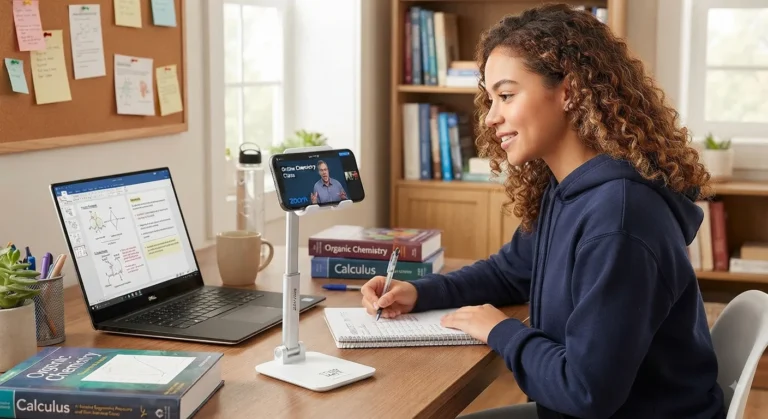
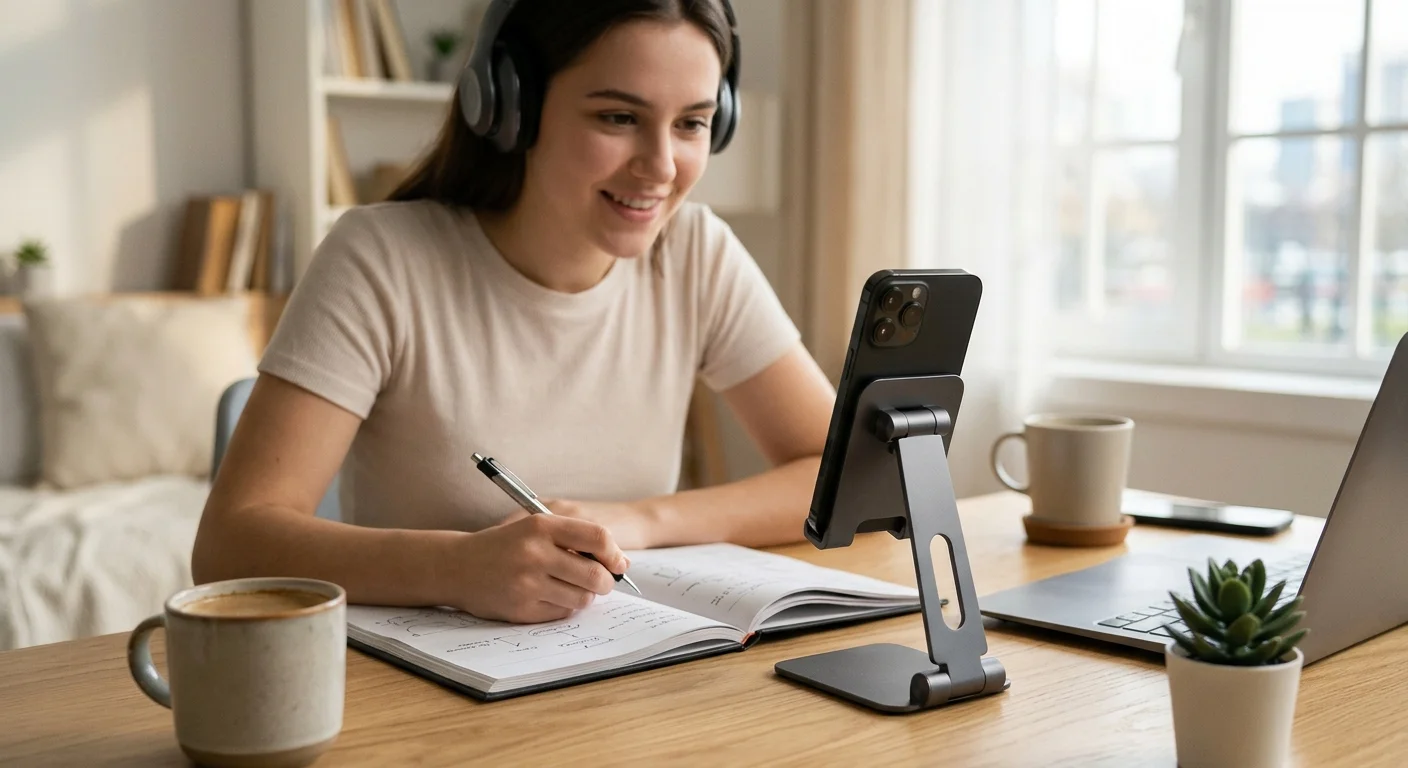
A phone holder for online classes offers a simple solution. By keeping a smartphone upright and positioning it at a more suitable viewing angle, a phone stand can make video lessons easier to follow while helping organize the study area. It can also free both hands for taking notes, using textbooks, writing assignments, or interacting with other study materials.
A phone stand is only one part of a comfortable learning setup, but it can make a noticeable difference when students use their smartphones regularly for video learning. Combined with suitable lighting, a comfortable chair, headphones, a stable internet connection, and other study accessories, a mobile stand can help create a more practical environment for online courses.
This guide explains how a phone stand can improve online learning, what features to consider, how to position it, and how to build a comfortable smartphone-based study setup.
read more about improve English writing
Why Phone Position Matters During Online Classes
The Problem With Holding a Phone for Long Periods
Holding a smartphone throughout an online class may seem convenient at first. However, the longer the lesson continues, the more inconvenient this arrangement can become.
Students may need to support the phone with one hand while using the other hand to write notes. They may also change their grip frequently, adjust the phone position, or place it against another object to keep it upright.
This can interrupt concentration.
A dedicated phone stand eliminates the need to physically hold the device. Once the phone is placed securely in the holder, the student’s hands remain available for other activities.
The Problem With Laying the Phone Flat
Placing a smartphone directly on a desk creates another issue. The screen may be positioned too low, forcing the student to look downward repeatedly.
This can make the viewing experience less comfortable, especially during long lectures.
A phone holder for online classes raises the smartphone and creates a more controlled viewing angle. Instead of constantly adjusting the phone, the student can set the desired position before the class begins.
Consistent Viewing During a Lesson
A phone that moves, slides, or falls over can be distracting.
A stable phone holder keeps the screen in one location throughout the lesson. This is especially useful when the student is watching an instructor demonstrate something, reading presentation slides, or participating in a video conference.
Consistency matters because students can focus on the lesson instead of repeatedly adjusting their device.
How a Phone Stand Improves Comfort During Online Courses
Better Screen Position
One of the main advantages of a mobile stand is the ability to position the screen at a more convenient height and angle.
The ideal position depends on the student’s desk, chair, height, and preferred viewing distance. However, the general goal is to avoid constantly bending the neck downward to see the screen.
A stand allows students to experiment with different positions until they find a setup that feels comfortable.
Hands-Free Learning
Hands-free use is one of the simplest benefits of a phone stand.
When the phone is secured in a holder, students can:
- Write notes
- Highlight textbooks
- Type on a laptop
- Use a calculator
- Draw diagrams
- Complete assignments
- Use a notebook
- Organize study materials
This is particularly useful when the online class requires active participation rather than simply watching a video.
Easier Note-Taking
Many students use their phone to attend a class while writing notes in a notebook.
Without a stand, they may need to hold the phone or balance it against books. A phone holder creates a dedicated position for the device, leaving the desk available for writing.
This can make the transition between watching and writing much smoother.
Less Frequent Device Adjustment
Students often adjust a phone because it has moved, fallen, or changed angle.
A stable stand reduces these interruptions.
Once the device is positioned correctly, the student can concentrate on the instructor or lesson content instead of reaching across the desk every few minutes.
read more about digital marketing skills
Phone Stands and Better Study Organization
Creating a Dedicated Place for the Phone
A phone can quickly become a source of clutter on a study desk.
It may be placed beside notebooks, under books, next to a laptop, or somewhere near the edge of the desk. A mobile stand gives the phone a defined location.
This simple organizational change can make the workspace feel more structured.
Separating Learning From Other Phone Activities
Smartphones have many functions beyond education. Notifications, social media, messages, games, and entertainment can easily interrupt study sessions.
A dedicated phone stand can visually transform the phone from a handheld entertainment device into part of the study setup.
Students can further reduce distractions by activating Do Not Disturb mode, turning off unnecessary notifications, or using an educational app in full-screen mode.
Making Better Use of Desk Space
A stand can help keep the smartphone upright instead of taking up valuable horizontal space.
This is useful for students who have small desks or study in compact spaces.
A vertical phone position may leave more room for:
- A notebook
- A laptop
- Textbooks
- Pens
- A calculator
- Headphones
- Other study accessories
Phone Holder for Online Classes and Video Learning
Watching Recorded Lessons
Online learning does not always happen in a live classroom.
Students frequently use recorded lectures, tutorials, educational platforms, language lessons, and instructional videos.
A phone stand can make these materials easier to watch because the device remains stable throughout the video.
This is especially useful when the student wants to watch a long lecture while taking notes at the same time.
Joining Live Classes
During live online courses, students may need to keep the camera and screen visible.
A stable phone position can make it easier to participate in the session without holding the phone throughout the class.
If the student also needs to appear on camera, an adjustable stand can help position the phone more appropriately.
Following Demonstrations
Some courses involve visual demonstrations.
Examples include:
- Art classes
- Cooking courses
- Language lessons
- Technical tutorials
- Software demonstrations
- Science lessons
- Craft courses
For these situations, viewing angle matters.
A stand that allows adjustment can help the learner position the screen according to the activity.
Choosing the Right Phone Holder for Online Classes
Adjustable Viewing Angle
Adjustability is one of the most useful features for online learning.
Different activities may require different angles. Watching a lecture, joining a video meeting, reading a digital textbook, and recording a presentation may all benefit from different phone positions.
An adjustable holder allows the student to change the viewing angle without replacing the stand.
Stable Base
A good phone stand should have a stable base.
If the stand is too light or poorly balanced, the phone may wobble or fall when the desk is touched.
Stability becomes especially important during note-taking because students may move their hands around the desk while writing.
Compatible Phone Size
Before buying a phone holder, check whether it supports the dimensions of your smartphone.
Most general-purpose holders accommodate a range of devices, but compatibility should still be checked.
If the student uses a phone with a thick protective case, the holder should also have enough space to accommodate the phone without forcing the case to be removed.
Adjustable Height
Some phone holders allow the phone to be raised higher.
Height adjustment can be useful when the student wants to position the screen closer to eye level or change the viewing arrangement between different activities.
However, not every student needs a height-adjustable model. The right choice depends on the desk and study environment.
Foldable Design
A foldable phone stand can be useful for students who study in different locations.
It can be stored in a backpack and carried between:
- Home
- School
- University
- Library
- Study rooms
- Workspaces
Portability can be particularly useful for students who do not have a permanent study desk.
Different Types of Mobile Stand for Students
Basic Desk Phone Stand
A basic desktop stand is suitable for students who mainly watch online classes at a fixed desk.
It is usually simple to use and does not require complicated adjustments.
For many students, this is enough to create a more organized learning setup.
Adjustable Mobile Stand
An adjustable stand provides greater flexibility.
The student can change the angle or height depending on the task.
This can be useful when the same phone is used for lectures, reading, video calls, and recording.
Foldable Mobile Stand
A foldable model is convenient for students who move frequently.
It can be packed away after studying and carried to another location.
Its compact design can also be useful for students with limited desk space.
Multi-Angle Phone Holder
A multi-angle holder gives students more control over how the screen is positioned.
This can be particularly useful for online courses that involve different activities throughout the day.
read more about healthy study snacks
How to Position a Phone Stand for Comfortable Learning
Keep the Screen at a Comfortable Height
The phone should be positioned so that the student does not need to constantly bend the head downward.
The exact height depends on the chair and desk.
A useful approach is to adjust the stand while sitting in the normal study position rather than while standing.
Maintain a Comfortable Viewing Distance
The phone should not be placed so close to the face that the student needs to constantly focus at an uncomfortable distance.
At the same time, the screen should be large and clear enough to read without repeatedly leaning forward.
If text is too small, increasing the font size or using a larger device may be more practical than moving the phone extremely close.
Avoid Excessive Screen Glare
A phone can become difficult to view when positioned directly in front of a bright window or strong light source.
Experiment with the stand angle to reduce reflections.
The goal is to keep the screen readable without forcing the student to change posture to avoid glare.
Keep the Phone Stable
Once the correct position has been found, make sure the holder is placed on a stable surface.
Avoid placing the stand on unstable stacks of books or near the edge of the desk.
Phone Stands as Part of a Complete Study Setup
Comfortable Chair
A phone stand cannot compensate for an uncomfortable chair.
Students who spend several hours studying should pay attention to their overall workspace, including seating position and desk height.
The stand should work with the rest of the setup rather than being considered a complete ergonomic solution by itself.
External Keyboard
Students who use their phone for classes but need to type notes may benefit from an external keyboard or laptop.
The phone can remain in the holder while the student types separately.
This can create a more organized arrangement than holding the phone while typing.
Headphones
Headphones can make online learning easier when the surrounding environment is noisy.
They may help students hear lectures clearly without raising the phone’s speaker volume.
Comfort should be considered if headphones are worn during long lessons.
Notebook and Writing Materials
Traditional note-taking remains useful for many learners.
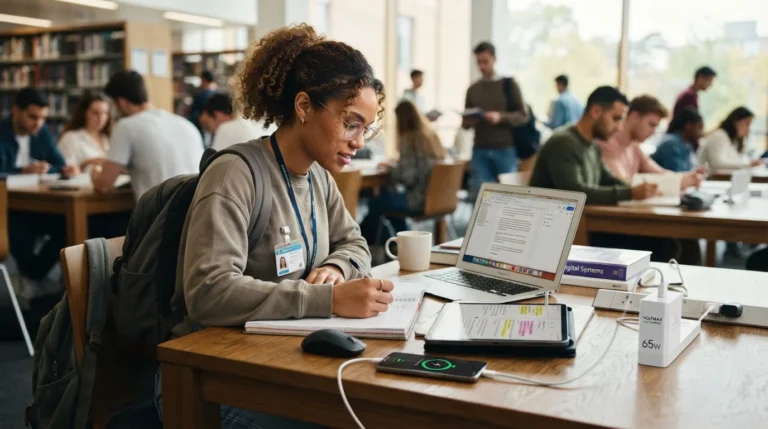
A phone stand can work well with a notebook because it keeps the screen visible while leaving the hands free for writing.
This is one reason a phone holder can be a useful addition to a collection of study accessories.
How a Phone Stand Can Support Better Study Habits
Reducing Small Interruptions
Learning can be interrupted by small inconveniences.
A phone that keeps falling over, a screen that needs constant repositioning, or a device that is difficult to see can create unnecessary interruptions.
A stand removes some of these small obstacles.
Creating a Consistent Study Environment
Using the same setup for every online class can help create a sense of routine.
The student can place the phone in the same location, prepare the notebook, connect headphones, and begin the lesson.
Consistency can make the study process easier to repeat.
Making Preparation Faster
A simple stand requires little preparation.
Instead of searching for books to support the phone or trying to balance it against another object, the student can place it directly into the holder.
This is especially convenient when classes happen frequently.
Phone Holder for Online Classes in Small Study Spaces
Using a Small Desk Efficiently
Not every student has a large desk.
A compact phone stand can help organize a small surface by keeping the phone upright.
This leaves the remaining space available for the most important materials.
Studying From a Bed or Side Table
Some students occasionally attend online classes from nontraditional study areas.
A portable stand may make these situations more convenient, although a proper desk and chair are generally more suitable for longer study sessions.
Shared Spaces
Students who study in shared rooms may need to pack away their equipment after every class.
A foldable mobile stand can make setup and storage faster.
Using a Phone Stand for Different Types of Online Courses
Language Learning
Language students may use their phones to watch lessons, follow pronunciation exercises, read vocabulary, or participate in video calls.
A stable viewing position allows them to focus on the instructor while taking notes.
Online University Courses
University students often need to combine lectures with textbooks, notebooks, and assignments.
A phone holder can keep the lecture visible while the student works with physical materials.
Professional Courses
Professional development courses may involve presentations, demonstrations, or software tutorials.
A stand can keep the instructional video visible while the learner practices the demonstrated activity on another device.
Creative Courses
Students learning drawing, crafts, photography, cooking, or similar skills may benefit from an adjustable phone holder.
The device can be positioned at different angles depending on what needs to be viewed.
read more about best smartphone for online learning
Common Mistakes When Using a Phone Stand
Placing the Phone Too Low
A stand is not automatically comfortable just because it holds the phone upright.
If the phone remains very low on the desk, the student may still spend the entire lesson looking downward.
Adjust the position according to your seating arrangement.
Placing the Phone Too Far Away
A phone that is too far away may make text difficult to read.
Instead of leaning forward repeatedly, consider adjusting the stand position or increasing the text size.
Ignoring Lighting
Poor lighting can make screen viewing more difficult.
Position the study area so that the room is adequately illuminated without creating strong reflections on the screen.
Choosing Stability Over Everything Else
A very stable stand is useful, but stability is not the only factor.
The best model for online learning should also suit the phone size, desk, viewing angle, portability needs, and daily routine.
Using the Phone for Class Without Controlling Notifications
Even with a perfect stand, constant notifications can interrupt learning.
Students can use Do Not Disturb mode or another appropriate focus setting during classes.
How to Build a Comfortable Smartphone-Based Online Learning Setup
Start With the Phone Stand
Place the phone holder in a stable location.
Adjust the height and angle until the screen is easy to see from the normal sitting position.
Add Your Note-Taking Tools
Place a notebook and pen next to the phone.
Make sure there is enough room to write without accidentally hitting the stand.
Add Audio Support
If necessary, use headphones or another audio solution that allows you to hear the lesson clearly.
Control Distractions
Before starting the class, close unnecessary apps and silence notifications.
Keep only the tools needed for learning available.
Prepare Before the Class Begins
Open the course platform, check the battery level, test the internet connection, and position the phone before the lesson starts.
A few minutes of preparation can prevent interruptions once the class begins.
Are Phone Stands Useful for Children and Teenagers During Online Learning?
Keeping the Screen Stable
Younger students may move around more during lessons.
A stable holder can prevent the phone from constantly shifting.
Supporting Hands-Free Activities
Children may need to write, draw, solve exercises, or use educational materials while watching the lesson.
A phone stand allows them to do these activities without holding the device.
Adult Supervision and Workspace Setup
For younger learners, parents or guardians can help arrange the study space.
The phone should be positioned safely and the learning environment should be comfortable and free from unnecessary distractions.
Phone Holder vs. Holding the Phone During Online Classes
Holding the Phone
Holding the phone provides maximum mobility, but it occupies one hand and requires continuous effort to keep the device in position.
This may become inconvenient during longer lessons.
Using a Phone Stand
A stand provides a fixed viewing position and frees both hands.
It can be particularly useful for students who write notes or work with physical materials during class.
Which Approach Is More Practical?
For short videos, holding a phone may be perfectly convenient.
For longer online courses, lectures, and study sessions, a dedicated holder can provide a more organized hands-free arrangement.
The choice ultimately depends on the duration of study and the activities performed during the lesson.
read more about Quran memorization apps
A phone holder for online classes is a small accessory, but it can solve several common problems associated with smartphone-based learning. Instead of holding the device throughout a lecture or balancing it against books, students can place it securely in a dedicated stand and focus on the lesson.
The main benefit is not simply keeping the phone upright. A well-positioned stand can help create a more organized and comfortable learning environment by freeing both hands, providing a consistent viewing angle, and making it easier to combine video learning with note-taking and other activities.
The right mobile stand does not need to be complicated. For many students, a stable and appropriately sized holder is enough. Students who move between locations may prefer a foldable model, while those who use different viewing positions may benefit from adjustable height and angles.
A phone stand can also work as part of a larger collection of study accessories. Combined with a comfortable chair, suitable lighting, headphones, notebooks, and effective distraction control, it can help turn a smartphone into a more practical educational tool.
Ultimately, the goal of any online learning setup is to make studying easier to manage and less distracting. By giving the phone a stable place on the desk and keeping it positioned appropriately, a simple stand can remove several small obstacles from the learning process. For students who regularly attend online courses, watch educational videos, or participate in virtual classrooms, that small improvement can make the overall study experience more organized and convenient.