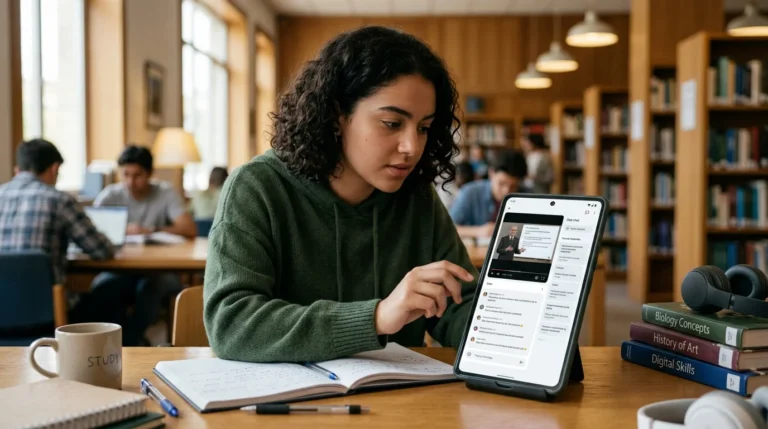
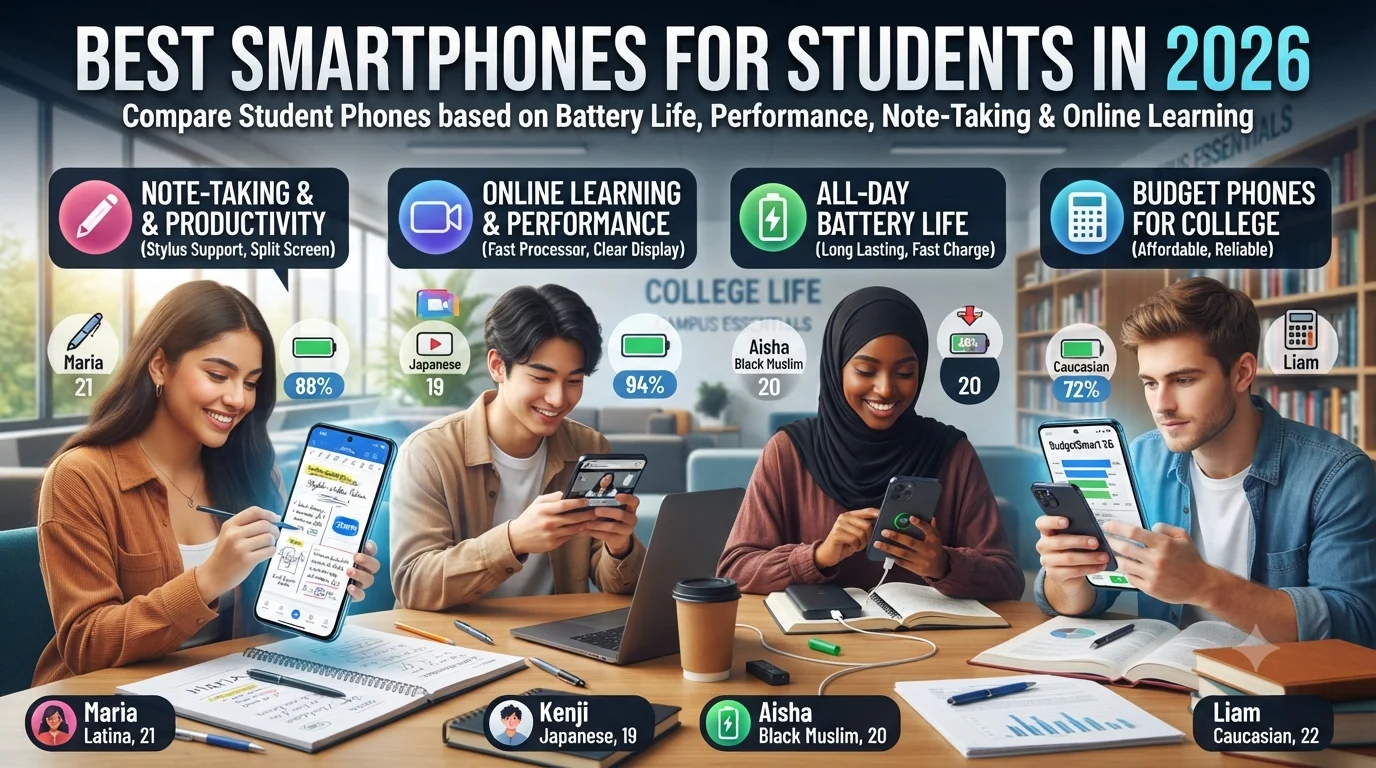
Finding the best phone for students has become more important than ever. Modern education relies heavily on smartphones for online classes, note-taking, communication, research, productivity, and even content creation. A smartphone is no longer just a communication device—it has become a portable classroom, study assistant, and productivity tool.
With hundreds of models available in 2026, choosing the right device can feel overwhelming. Some students need exceptional battery life to last through long lectures, while others prioritize camera quality for scanning documents or recording presentations. College students may require powerful processors for multitasking, whereas high school students often focus on affordability and durability.
The good news is that today’s student smartphones offer excellent performance across different price ranges. Whether you’re searching for budget phones for college or a premium study phone, understanding the features that truly matter will help you make a smarter purchase.
This guide explains how students can choose the ideal smartphone based on battery life, performance, note-taking capabilities, online learning, and overall value.
read more about study tips
Why Students Need the Right Smartphone
Education has changed dramatically over the past few years.
Students now use smartphones for:
- Online classes
- Video conferences
- Reading PDFs
- Research
- Group projects
- Email communication
- Cloud storage
- Calendar management
- Educational apps
- Digital textbooks
A reliable phone improves productivity while reducing frustration throughout the academic year.
Start with Your Academic Needs
Not every student has the same requirements.
Ask yourself:
- Do I attend online classes daily?
- Do I take handwritten digital notes?
- Do I edit videos or presentations?
- Do I play games regularly?
- Do I need excellent cameras for document scanning?
- Will I keep this phone for several years?
Your answers will determine which features deserve the highest priority.
Battery Life Is the First Priority
Long battery life is one of the most important features in the best phone for students.
Many students spend an entire day on campus without convenient access to charging.
A good student phone should comfortably handle:
- Morning lectures
- Afternoon assignments
- Video streaming
- Messaging
- Navigation
- Evening study sessions
Without constantly searching for a charger.
Fast Charging Saves Valuable Time
Even excellent batteries eventually need charging.
Fast charging becomes incredibly valuable for students between classes.
Benefits include:
- Quick charging during lunch breaks
- Less downtime
- Greater convenience
- Better productivity
Modern smartphones can often recover several hours of battery life after only a short charging session.
Processor Performance Matters
Performance affects every daily task.
A capable processor allows students to:
- Switch between apps smoothly
- Attend video meetings
- Edit documents
- Browse multiple tabs
- Watch educational videos
- Use AI-powered learning tools
Lag can quickly become frustrating during busy academic schedules.
How Much RAM Do Students Need?
RAM determines how many apps remain active simultaneously.
General recommendations include:
6GB RAM
Suitable for:
- High school students
- Casual users
- Everyday communication
8GB RAM
Ideal for:
- College students
- Frequent multitasking
- Online learning
12GB RAM
Best for:
- Engineering students
- Design students
- Heavy multitasking
- Mobile content creators
For most users, 8GB provides an excellent balance between performance and affordability.
Storage Requirements
Educational files accumulate quickly.
Students often store:
- Lecture recordings
- PDF textbooks
- Photos
- Videos
- Assignments
- Notes
- Cloud downloads
Recommended storage capacities include:
128GB
Suitable for:
- General students
- Moderate users
256GB
Ideal for:
- College students
- Photography enthusiasts
- Heavy app users
512GB
Recommended for:
- Media students
- Video creators
- Engineering projects
Running out of storage during exams or assignment deadlines can become a serious inconvenience.
Display Quality
Students spend hours looking at their screens.
A high-quality display improves:
- Reading comfort
- Video lectures
- Document editing
- Outdoor visibility
- Eye comfort
Features worth considering include:
- OLED displays
- High brightness
- Good color accuracy
- High refresh rates
Screen Size
The ideal screen depends on personal preference.
Compact Phones
Advantages:
- Easier one-handed use
- Lighter weight
- Pocket-friendly
Larger Displays
Advantages:
- Better multitasking
- Easier reading
- Improved video viewing
- More comfortable online classes
Many students prefer displays between 6.5 and 6.8 inches.
Online Learning Performance
Remote education remains an important part of student life.
A quality study phone should handle:
- Zoom
- Google Meet
- Microsoft Teams
- Online classrooms
- Learning management systems
Smooth video conferencing depends on both processor efficiency and network performance.
read more about audio quality for online learning
Camera Quality for Students
Students use cameras for much more than photography.
Useful applications include:
- Scanning notes
- Recording lectures
- Capturing whiteboards
- Creating presentations
- Video assignments
Good autofocus and sharp image quality improve productivity.
Front Camera Importance
The selfie camera plays a major role during:
- Online interviews
- Group meetings
- Virtual classes
- Presentations
A clear front-facing camera enhances communication throughout the academic year.
Audio Quality
Clear sound improves learning.
Look for:
- Stereo speakers
- Good microphones
- Noise reduction
- High-quality Bluetooth support
These features make online classes much more enjoyable.
Software Experience
Reliable software is just as important as powerful hardware.
Students benefit from:
- Smooth navigation
- Minimal unnecessary apps
- Regular security updates
- Stable performance
A clean software experience reduces distractions while improving productivity.
Security Features
Students often store sensitive information on their phones.
Examples include:
- School accounts
- Banking apps
- Personal photos
- Assignment files
- Password managers
Useful security options include:
- Fingerprint scanners
- Face unlock
- Secure folders
- Privacy dashboards
Durability
Student life can be demanding.
Phones frequently experience:
- Backpack storage
- Drops
- Weather exposure
- Heavy daily use
A durable build extends the device’s lifespan.
Using a quality protective case and tempered glass screen protector is highly recommended.
Connectivity
Reliable connectivity supports modern learning.
Important technologies include:
- 5G
- Wi-Fi 6 or newer
- Bluetooth
- NFC
- USB-C
Fast and stable connections improve both productivity and entertainment.
Productivity Features
Many modern smartphones include features designed specifically for productivity.
Helpful tools include:
- Split-screen multitasking
- Floating windows
- Voice recording
- Document scanning
- Built-in screen recording
- AI writing assistance
These functions simplify everyday academic tasks.
Note-Taking Capabilities
One major advantage of smartphones is digital note-taking.
Students commonly use apps to:
- Organize lecture notes
- Create checklists
- Record ideas
- Save research
- Annotate PDFs
If handwriting support is important, students may also consider phones compatible with stylus accessories where available.
Cloud Integration
Cloud storage protects important academic work.
Popular services allow students to:
- Access notes across devices
- Share assignments
- Backup photos
- Collaborate on projects
Reliable synchronization reduces the risk of losing valuable files.
Budget Considerations
Many students work within limited budgets.
Fortunately, today’s budget phones for college often include features that were once exclusive to flagship devices, including:
- Fast charging
- High-refresh-rate displays
- Excellent cameras
- Long battery life
- Powerful processors
Mid-range smartphones frequently deliver the best overall value.
Choosing Between Mid-Range and Flagship Phones
Premium flagship phones certainly offer outstanding performance.
However, many students may never fully utilize:
- Professional-grade cameras
- Maximum gaming performance
- Advanced AI features
- Premium materials
Instead, investing in a quality mid-range student smartphone often leaves room in the budget for accessories like wireless earbuds, power banks, or tablets.
we’ll compare smartphones for different student majors, discuss the best features for note-taking, online learning, gaming, and productivity, evaluate budget phones for college versus premium models, and explain how to identify the best phone for students based on real academic needs rather than marketing specifications.
Choosing a Smartphone Based on Your Field of Study
Not every student uses a smartphone in the same way. A business major may spend most of the day answering emails and reviewing documents, while an engineering student might rely on productivity apps and cloud storage. Matching the phone to the student’s academic needs is one of the smartest ways to find the best phone for students.
Business Students
Business students typically benefit from:
- Reliable multitasking.
- Long battery life.
- Calendar management.
- Email productivity.
- Video conferencing.
- Document editing.
A balanced mid-range smartphone is usually more than capable of handling these daily tasks.
Engineering Students
Engineering students often use:
- CAD viewers.
- Coding apps.
- PDF textbooks.
- Cloud storage.
- Technical calculators.
Recommended features include:
- Powerful processor.
- At least 8GB RAM.
- Large storage capacity.
- Fast charging.
- Reliable cooling.
Medical Students
Medical students spend long hours reviewing textbooks and attending lectures.
Helpful features include:
- Large display.
- Excellent battery life.
- Comfortable reading mode.
- High-quality document scanner.
- Plenty of storage for notes and presentations.
Design and Media Students
Creative students frequently edit photos, videos, and graphics.
Look for:
- OLED display.
- Accurate colors.
- Large storage.
- Powerful processor.
- Good cameras.
- Fast file transfers.
The Importance of Note-Taking
One of the biggest reasons students rely on smartphones is digital note-taking.
Modern note-taking apps allow users to:
- Create organized notebooks.
- Add voice recordings.
- Insert images.
- Scan handwritten pages.
- Sync notes across devices.
An excellent study phone should run these apps smoothly without slowing down during long study sessions.
Document Scanning
Instead of carrying a traditional scanner, students now use smartphone cameras to digitize documents.
A good smartphone camera helps when:
- Scanning lecture notes.
- Saving homework.
- Capturing whiteboards.
- Creating PDF files.
- Sharing assignments.
Fast autofocus and clear image processing improve document quality.
Reading Comfort
Students often spend several hours reading on their phones.
Features that improve comfort include:
- High brightness.
- Adjustable color temperature.
- Dark mode.
- Reading mode.
- Sharp resolution.
These features reduce eye strain during extended study sessions.
Online Learning Experience
Distance learning remains an important part of education.
A quality student smartphone should perform well during:
- Live lectures.
- Recorded lessons.
- Group discussions.
- Online examinations.
- Virtual office hours.
Stable performance prevents interruptions during important academic activities.
Multitasking
Students constantly switch between applications.
For example:
- Watching a lecture while taking notes.
- Reading PDFs while messaging classmates.
- Browsing research while editing assignments.
Efficient multitasking saves time and improves productivity.
Split-Screen Features
Many Android smartphones support split-screen mode.
Students can simultaneously:
- Watch educational videos.
- Read documents.
- Take notes.
- Compare research sources.
This feature transforms a smartphone into a more powerful productivity tool.
AI Features for Students
Artificial intelligence continues improving the student experience.
Modern AI tools can assist with:
- Writing suggestions.
- Language translation.
- Voice transcription.
- Photo enhancement.
- Smart search.
- Organization.
These features simplify many everyday academic tasks.
Battery Performance During Long School Days
Students frequently spend 10–12 hours away from home.
Their phones may be used continuously for:
- Messaging.
- Navigation.
- Research.
- Music.
- Photography.
- Online classes.
Choosing the best phone for students means prioritizing reliable battery endurance over unnecessary premium features.
Charging Speed
Fast charging reduces stress during busy schedules.
Students can recharge their devices:
- Between lectures.
- During lunch.
- While studying at cafés.
- Before evening classes.
Even short charging sessions can provide several additional hours of use.
Connectivity for Modern Education
Reliable connectivity is essential.
Important technologies include:
- 5G support.
- Fast Wi-Fi.
- Bluetooth.
- USB-C.
- NFC where available.
Stable connections improve both collaboration and online learning.
Choosing the Right Camera
Students don’t always need professional photography equipment.
Instead, prioritize cameras that perform well for:
- Document scanning.
- Campus photography.
- Group projects.
- Video calls.
- Social media.
Balanced camera performance is often more valuable than extremely high megapixel counts.
Audio Quality
Audio quality affects more than entertainment.
Students frequently rely on speakers and microphones during:
- Online lectures.
- Language learning.
- Group meetings.
- Recorded presentations.
Stereo speakers and clear microphones improve the overall experience.
Accessories Every Student Should Consider
The smartphone itself is only part of the setup.
Useful accessories include:
- Protective case.
- Tempered glass screen protector.
- Wireless earbuds.
- Portable power bank.
- Bluetooth keyboard.
- Adjustable phone stand.
These additions improve both protection and productivity.
Budget Phones for College
Many students assume they need flagship devices.
Fortunately, today’s budget phones for college have improved dramatically.
Many affordable smartphones now offer:
- Smooth displays.
- Excellent battery life.
- Fast charging.
- Reliable cameras.
- Strong everyday performance.
This makes them ideal for students who need dependable devices without overspending.
Mid-Range Phones: The Sweet Spot
Mid-range devices often deliver the best balance between affordability and features.
Advantages include:
- Better cameras than entry-level models.
- Faster processors.
- Higher-quality displays.
- Longer software support.
- Improved durability.
For most college students, this category offers outstanding value.
When Is a Flagship Worth Buying?
Premium smartphones may be worthwhile if the student:
- Creates professional content.
- Records high-quality video.
- Plays demanding games.
- Uses advanced editing software.
- Plans to keep the device for several years.
Otherwise, a quality mid-range phone usually provides a better return on investment.
Mistakes Students Should Avoid
Common purchasing mistakes include:
- Buying solely based on brand.
- Choosing insufficient storage.
- Ignoring battery life.
- Overlooking software updates.
- Prioritizing megapixels over camera quality.
- Spending beyond their budget.
Avoiding these mistakes helps ensure long-term satisfaction.
Features That Matter Most
When comparing student smartphones, prioritize:
- Battery life.
- Processor performance.
- RAM.
- Storage.
- Display quality.
- Fast charging.
- Software support.
- Camera performance for everyday tasks.
These factors influence daily usability far more than flashy marketing features.
read more about Islamic Online Quran Academy
Planning for Future Needs
A smartphone is often used throughout several academic years.
Choosing a model with:
- Adequate storage.
- Modern processor.
- Reliable battery.
- Long software support.
helps ensure it remains useful throughout college.
we’ll summarize the complete buying guide, compare entry-level, mid-range, and flagship options, answer frequently asked questions, and provide final recommendations for selecting the best phone for students, whether you’re looking for affordable budget phones for college, versatile student smartphones, or the ideal study phone for long-term academic success.
Comparing Entry-Level, Mid-Range, and Flagship Smartphones
Students often wonder whether spending more automatically results in a better academic experience. In reality, the right choice depends on how the phone will be used every day.
Entry-Level Smartphones
Best suited for:
- High school students.
- Basic communication.
- Online learning.
- Reading documents.
- Messaging apps.
Advantages include:
- Affordable pricing.
- Good battery life.
- Easy-to-use software.
- Reliable everyday performance.
These phones are excellent for students with basic academic requirements.
Mid-Range Smartphones
For many people, this category offers the best phone for students because it balances performance and affordability.
Mid-range devices usually provide:
- Faster processors.
- Better cameras.
- OLED or high-quality LCD displays.
- Fast charging.
- More storage options.
- Improved multitasking.
Most college students will find everything they need in this segment.
Flagship Smartphones
Premium smartphones offer the highest level of performance.
They are ideal for students who:
- Produce video content.
- Edit photos professionally.
- Play demanding games.
- Keep many apps open simultaneously.
- Plan to use the device for several years.
Although flagship models deliver outstanding experiences, many students may never fully utilize their advanced capabilities.
How to Maximize Your Smartphone for Studying
Buying the right phone is only the beginning. Using it effectively can significantly improve your academic performance.
Helpful habits include:
- Organizing apps into folders.
- Using digital calendars.
- Setting study reminders.
- Enabling focus mode during classes.
- Backing up notes to cloud storage.
- Updating software regularly.
These simple habits make your study phone a powerful productivity tool.
Best Apps for Students
A smartphone becomes far more useful with the right applications.
Popular categories include:
- Note-taking apps.
- Cloud storage services.
- PDF readers.
- Flashcard apps.
- Language learning platforms.
- Calculator tools.
- Task management apps.
- Video conferencing software.
Choosing reliable apps can improve organization and reduce study time.
Protecting Your Investment
Students often carry their phones everywhere, making protection essential.
Recommended accessories include:
- Shock-resistant protective case.
- Tempered glass screen protector.
- Waterproof storage pouch for travel.
- Portable power bank.
- Fast charger.
- Durable charging cable.
A small investment in protection can significantly extend your phone’s lifespan.
Battery Care Tips
Proper battery habits help maintain long-term performance.
Try to:
- Avoid excessive heat.
- Use quality chargers.
- Keep software updated.
- Close unnecessary background apps.
- Reduce screen brightness when appropriate.
Good battery care helps your smartphone remain reliable throughout your academic journey.
Storage Management
Even large storage capacities eventually fill up.
Regularly:
- Delete duplicate photos.
- Remove unused apps.
- Clear downloaded files.
- Organize documents.
- Back up important assignments.
Good storage management keeps your phone running smoothly.
Security for Students
Students often store sensitive information on their phones.
Protect your data by:
- Using strong passwords.
- Enabling fingerprint or facial recognition.
- Activating two-factor authentication.
- Keeping software updated.
- Avoiding suspicious downloads.
These simple precautions reduce the risk of unauthorized access.
Should Students Buy Used or Refurbished Phones?
Buying a refurbished smartphone can be an excellent way to save money.
Advantages include:
- Lower purchase price.
- Access to higher-end models.
- Reduced electronic waste.
- Good value when purchased from reputable sellers.
Before purchasing, verify:
- Battery health.
- Warranty coverage.
- Physical condition.
- Software support.
- Return policy.
Mistakes to Avoid When Buying a Student Smartphone
Avoid making decisions based only on advertisements.
Common mistakes include:
- Choosing the cheapest phone available.
- Ignoring battery performance.
- Buying insufficient storage.
- Prioritizing appearance over functionality.
- Forgetting software update support.
- Overpaying for unnecessary flagship features.
Making informed decisions leads to better long-term satisfaction.
Frequently Asked Questions
What is the best phone for students?
The best phone for students is one that combines reliable performance, excellent battery life, enough storage, and good software support while staying within the student’s budget.
Are budget phones for college good enough?
Yes. Many budget phones for college now include fast processors, long-lasting batteries, quality cameras, and smooth displays that easily handle everyday academic tasks.
How much storage should a student have?
For most students:
- 128GB is sufficient for everyday use.
- 256GB is ideal for heavier users.
- 512GB is recommended for students working with large media files.
Is battery life more important than camera quality?
For many students, yes. A phone that lasts through an entire day of classes is usually more valuable than one with an exceptional camera but limited battery life.
Do students really need flagship phones?
Not necessarily. Most student smartphones in the mid-range category provide enough performance for studying, productivity, entertainment, and communication.
Is fast charging worth it?
Absolutely. Fast charging allows students to quickly recharge their phones between classes or while studying, reducing interruptions during busy days.
What makes a good study phone?
A quality study phone should offer:
- Reliable performance.
- Comfortable display.
- Long battery life.
- Fast charging.
- Plenty of storage.
- Smooth multitasking.
- Strong software support.
Should students prioritize processor or RAM?
Both are important, but a balanced combination generally provides the best experience. An efficient processor paired with adequate RAM ensures smooth everyday performance.
Are larger screens better for studying?
Many students find larger displays more comfortable for reading textbooks, viewing presentations, taking notes, and participating in online classes. However, personal preference and portability should also be considered.
How long should a student smartphone last?
With proper care and regular software updates, a good smartphone should comfortably support a student throughout several years of school or college.
Final Buying Tips
Before purchasing your next smartphone, remember to:
- Set a realistic budget.
- Focus on everyday academic needs.
- Compare several models.
- Read trusted reviews.
- Choose enough storage.
- Prioritize battery life.
- Consider software update policies.
- Buy protective accessories at the same time.
A thoughtful purchase will provide better value than simply choosing the newest or most expensive device.
read more about social media marketing agency Oman
Choosing the best phone for students in 2026 is about finding the right balance between performance, battery life, productivity features, and affordability. While flagship smartphones deliver impressive technology, many modern student smartphones in the mid-range segment already provide everything needed for note-taking, online learning, document editing, research, and communication.
For students working with limited budgets, today’s budget phones for college offer exceptional value, combining long battery life, capable processors, fast charging, and dependable cameras without the premium price tag. Meanwhile, those with more demanding workloads can benefit from additional RAM, larger storage capacities, and more powerful chipsets.
the ideal study phone is one that supports your learning goals, fits comfortably within your budget, and remains reliable throughout your academic journey. By focusing on practical features instead of marketing hype, students can invest in a smartphone that enhances productivity, simplifies everyday tasks, and provides excellent value for years to come.